The one spot that kills your mesh Wi-Fi performance is placing your main router or nodes in a poor location, like inside a closet or behind thick walls. This creates dead zones, weak signals, and interference, causing slower speeds and unreliable coverage. To keep your network running smoothly, avoid these pitfalls and find strategic, open, and elevated spots for your devices. Continue exploring to discover the best placement tips for maximum Wi-Fi performance.
Key Takeaways
- Placing mesh nodes too far from the main router weakens signals and reduces network speed.
- Positioning nodes too close together causes coverage overlap and inefficient Wi-Fi distribution.
- Locating nodes near obstacles or interference sources diminishes signal strength and performance.
- Placing the main router in a confined, cluttered space creates dead zones and weak coverage.
- Improper placement of mesh devices increases interference, slowing down the entire network.

Are you getting the most out of your mesh Wi-Fi system? If not, one of the most common culprits is poor placement, especially when it comes to router positioning. Your mesh network relies on strategically placed nodes to deliver seamless coverage, but placing them incorrectly can lead to Wi-Fi interference and weak signals. The key is to understand how the positioning impacts performance and how to optimize it for a stronger, more reliable connection.
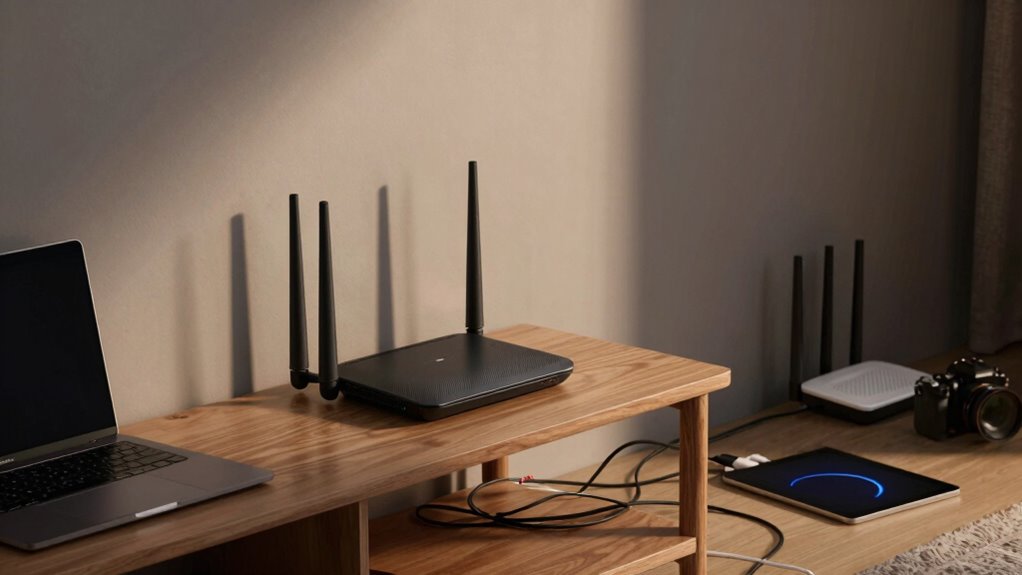
First, consider where you place your primary router. It shouldn’t be tucked away in a closet or behind thick walls, as these obstacles cause Wi-Fi interference that hampers signal strength. Instead, position it in a central, open area of your home, elevated if possible, to maximize coverage. If your router is poorly placed, it creates dead zones and forces your mesh nodes to work harder to compensate, which can slow down your entire network. Proper router positioning ensures a solid foundation, reducing interference and improving overall speed.
Place your router centrally and elevated for optimal mesh Wi-Fi coverage and speed.
Next, pay attention to the placement of your secondary mesh nodes. They should be close enough to the main router and each other to maintain a strong, stable connection. If they’re too far apart, the signal weakens, leading to slower speeds and increased Wi-Fi interference. Conversely, placing nodes too close together wastes coverage potential and doesn’t extend your network effectively. Aim for a balanced distance—about one or two rooms apart—while keeping obstacles in mind. This way, each node can communicate efficiently without signal degradation.
Another factor that influences mesh Wi-Fi performance is the environment. Large metal appliances, mirrors, thick walls, and electronic devices can all cause Wi-Fi interference, disrupting your network’s stability. Be mindful of these obstacles when positioning your router and nodes. For example, avoid placing the main router near microwaves or cordless phones, which emit signals that interfere with Wi-Fi. Similarly, keep nodes away from reflective surfaces that can bounce signals and create interference patterns, weakening your network. Understanding Wi-Fi interference and how it impacts signal strength can help you choose the best locations for your devices.
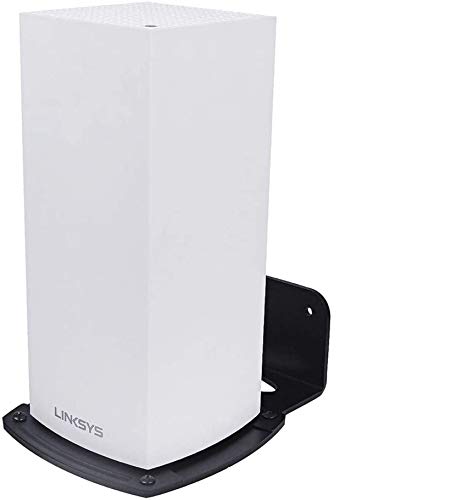
VOMENC Linksys Velop WiFi 6 Mesh Router Wall Mount Bracket Wall Mount Stand Holder,WiFi Accessories for Linksys Velop Home Mesh with Easy Installation and Space Saving (1-Pack)
- Compatibility: Suitable for Linksys Velop WiFi 6 mesh routers
- Space Saving: Mounts on vertical surfaces to save space
- Enhanced Signal: Position for optimal WiFi performance
As an affiliate, we earn on qualifying purchases.
As an affiliate, we earn on qualifying purchases.
Frequently Asked Questions
How Do I Identify the Optimal Spot for My Mesh Router?
You should place your mesh router where it can get the strongest signals without interference sources nearby. Look for a central, open spot away from thick walls and metal objects that block router signals. Avoid placing it near devices like microwaves or cordless phones that cause interference. Test different locations to see where the signal is strongest and most stable, ensuring maximum performance across your home.
Can Placement Affect My Wi-Fi Security?
Think of your Wi-Fi network like a house with a strong lock; proper placement is key to security. If your router is tucked away or near windows, it’s easier for outsiders to access or interfere. Proper placement strengthens Wi-Fi security by protecting router encryption and reducing vulnerabilities. Keep your router in a central, hidden spot to shield your network, ensuring your Wi-Fi security remains intact and your data stays safe from prying eyes.
Should I Avoid Placing Mesh Nodes Near Electronics?
Yes, you should avoid placing mesh nodes near electronics. Interference sources like microwaves, cordless phones, and other devices can disrupt your Wi-Fi signal, especially if the nodes are too close to device proximity. Keep your mesh nodes away from these electronics to reduce interference sources, ensuring a stronger, more reliable connection. Proper placement maximizes performance and minimizes signal disruptions caused by device proximity.
How Does Wall Material Impact Mesh Wi-Fi Placement?
Did you know that wall material can reduce Wi-Fi signals by up to 60%? You should avoid placing mesh nodes near thick walls or those made of metal, as they cause signal attenuation and increase interference sources. These barriers weaken your network’s performance, leading to slower speeds and dropped connections. To optimize your mesh Wi-Fi, choose locations with minimal obstructions and clear paths for signals to travel.
Is There a Recommended Height for Installing Mesh Routers?
You should install your mesh router at a height that maximizes its coverage, ideally on a shelf or wall mount about 3 to 6 feet off the ground. Following router height guidelines helps prevent obstructions and interference, ensuring better signal strength. Avoid placing it on the floor or too high, like ceiling mounts, which can reduce performance. Proper router elevation is key to ideal mesh Wi-Fi performance.
Conclusion
To get the most out of your mesh Wi-Fi, avoid placing your nodes in the one spot that kills performance—it’s like giving your network a fatal blow. Pay attention to placement, keep nodes elevated, and stay clear of interference. With the right setup, your Wi-Fi will soar to lightning-fast speeds, turning your home into a seamless digital paradise. Don’t let poor placement be the villain—take control and unleash your network’s full potential today.