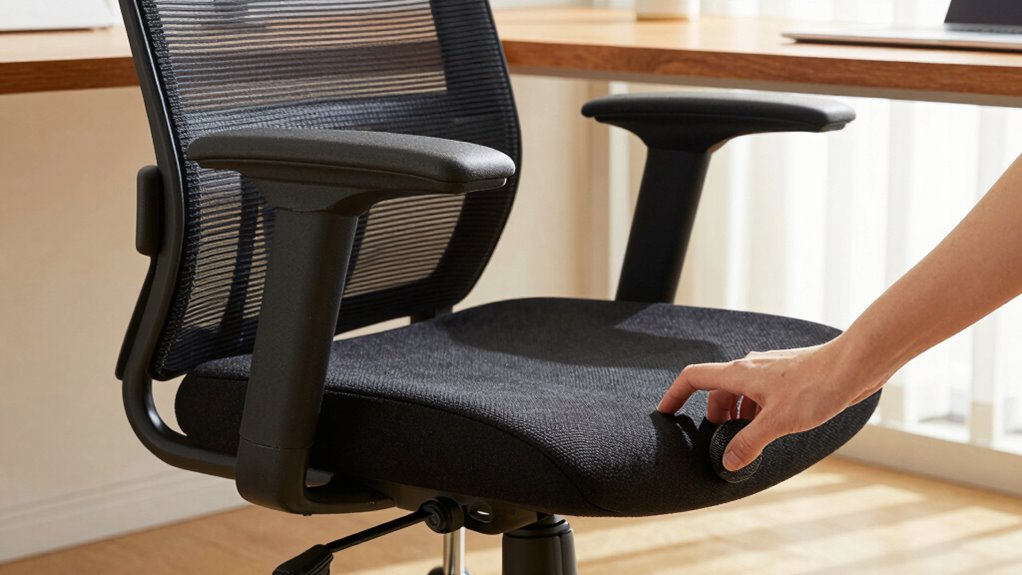

The most impactful adjustment you can make to your office chair is setting the lumbar support to fit the natural curve of your lower back. This helps maintain proper spinal alignment, prevents slumping, and reduces muscle tension. Proper lumbar support ensures continuous contact with your back, promoting comfort during long hours. Mastering this simple tweak can markedly improve your posture and minimize discomfort—so keep exploring how other adjustments can further enhance your ergonomic setup.

Get decor and gifts delivered free — and shop member deals
- Fast, free delivery on millions of items
- Access to Prime Big Deal Days deals on October 6–7
- Prime Video, Amazon Music and more included
Key Takeaways
- Adjust your lumbar support to fill the natural curve of your lower back for optimal spinal alignment.
- Ensure the chair height allows your feet to rest flat and knees at a 90-degree angle.
- Set the chair so your hips are slightly higher than your knees to promote better circulation.
- Properly align the keyboard and monitor height with your elbow and eye level for comfortable posture.
- Regularly reassess and fine-tune your ergonomic settings to maintain comfort and prevent strain.
If you spend long hours at your desk, understanding office chair ergonomics can make a significant difference in your comfort and health. One of the most impactful adjustments you can make is ensuring your chair offers proper lumbar support and an adjustable height feature. These two elements work together to prevent common problems like back pain, poor posture, and fatigue. When your chair provides good lumbar support, it fills the natural curve of your lower back, encouraging proper spinal alignment. This support stops your lower back from slumping or arching excessively, which can lead to discomfort and long-term issues. It’s essential that the lumbar support is positioned correctly—ideally, it should fit snugly into the curve of your lower back, providing continuous support as you work.
Proper lumbar support maintains natural spinal curves, preventing discomfort and long-term back problems.
Adjustable height is equally important because it allows you to set your chair so that your feet rest flat on the floor, your knees are at a 90-degree angle, and your hips are slightly higher than your knees. This positioning helps reduce pressure on your lower back and promotes better circulation. When your chair height is fixed or not customizable, you might find yourself slouching or leaning forward, which strains your back and shoulders. By simply adjusting the height, you can maintain a neutral, comfortable posture that minimizes fatigue during long work sessions.
Setting your chair to the right height also ensures your keyboard and monitor are at the proper levels. Your keyboard should be at a height where your elbows are close to your sides and form a roughly 90-degree angle, reducing strain on your wrists and shoulders. Your monitor should be positioned so that the top of the screen is at or slightly below eye level, which prevents neck strain. With a chair that has adjustable height, you can fine-tune your setup to fit your body perfectly, making your workspace more ergonomic. Additionally, incorporating adaptive workspace solutions can further enhance comfort by automatically adjusting to your ergonomic needs throughout the day.
Incorporating these adjustments into your daily routine doesn’t take much time, but the benefits are substantial. Proper lumbar support and adjustable height help you stay comfortable, focused, and injury-free. They promote good posture, reduce muscle tension, and can even boost your overall productivity. Remember, small changes lead to big improvements in your health and well-being. Invest in a chair that allows you to customize these features, and take the time to adjust it at the start of each day. It’s a simple step that can transform your work experience and protect your body for years to come.
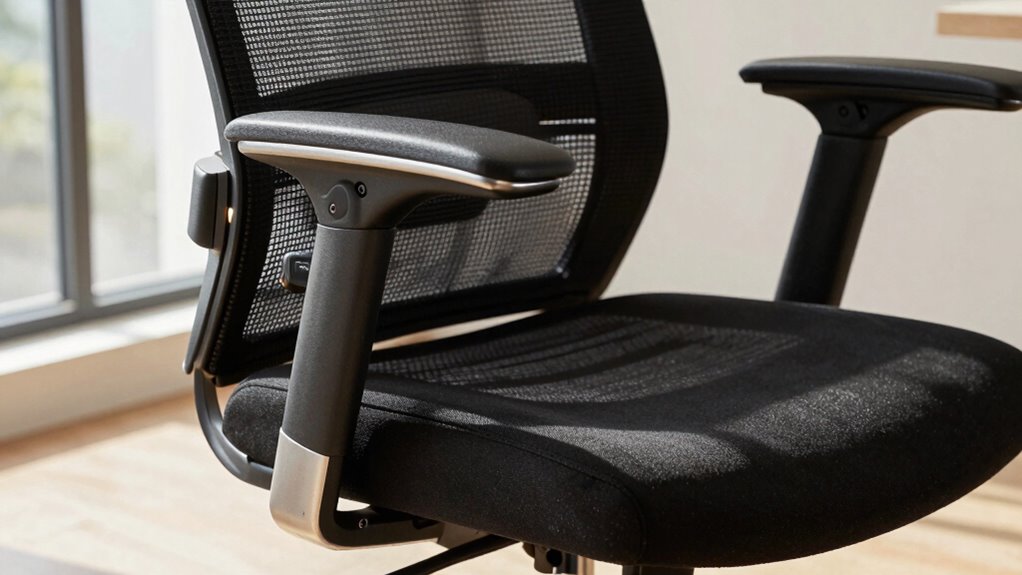
ergonomic office chair with adjustable lumbar support
As an affiliate, we earn on qualifying purchases.
As an affiliate, we earn on qualifying purchases.
Frequently Asked Questions
How Often Should I Adjust My Office Chair for Optimal Ergonomics?
You should adjust your office chair regularly, ideally every few hours, to maintain ideal ergonomics. Focus on chair height so your feet rest flat on the floor and your knees are at a 90-degree angle. Also, tweak lumbar support to support your lower back properly. Frequent adjustments help prevent strain, improve comfort, and keep your posture aligned throughout the day. Don’t wait for discomfort—adjust proactively for maximum benefits.
Can Ergonomic Adjustments Reduce Long-Term Back Pain Effectively?
Ergonomic adjustments can effectively reduce long-term back pain if you prioritize proper lumbar support and chair height. When you maintain good lumbar support, it helps keep your spine aligned, preventing strain. Adjust your chair height so your feet rest flat on the floor and knees are at a 90-degree angle. Regularly making these tweaks improves posture, minimizes muscle fatigue, and markedly lowers the risk of chronic back pain over time.
What Are Signs My Chair Isn’T Properly Adjusted?
If your chair isn’t properly adjusted, you might notice poor posture correction, like slouching or leaning forward, and discomfort in your neck, shoulders, or back. Your height adjustment may be off if your feet don’t rest flat on the floor or your knees are too high or low. These signs mean it’s time to recheck and tweak your chair’s height and support to stay comfortable and avoid strain.
Are There Specific Settings for Different Body Types?
Yes, your chair should be tailored to your body type. Use ergonomic presets designed for different body types or customize settings like seat height, backrest angle, and lumbar support. Adjustments should align with your height, weight, and posture to guarantee comfort and reduce strain. Remember, a properly adjusted chair adapts to your unique body type, promoting better ergonomics and productivity throughout your workday.
How Do I Know if My Chair Adjustment Is Correct?
You can tell if your chair adjustment is correct by checking your lumbar support and seat height. Confirm your lower back is supported with a slight curve in the lumbar area, and your feet are flat on the floor with knees at a 90-degree angle. Adjust the seat height so your hips are level with or slightly higher than your knees, and make sure lumbar support feels comfortable and supportive.
Conclusion
When you make this one simple adjustment to your office chair, everything changes. Imagine sitting for hours, relaxed and supported, instead of tense and strained. It’s like the difference between a smooth ride and a jarring jolt—you feel it instantly. Small tweaks can turn a uncomfortable day into a productive one. So, take control, make that adjustment, and experience the transformation — because comfort isn’t just a luxury, it’s your new foundation.
Fall Picks
fall essentials
As an affiliate, we earn on qualifying purchases.