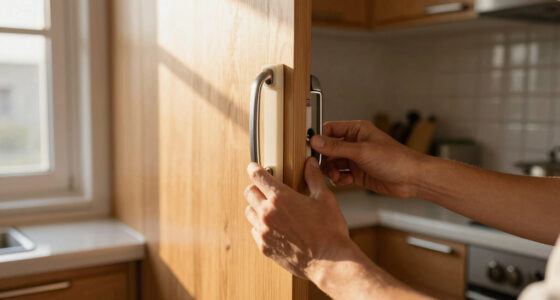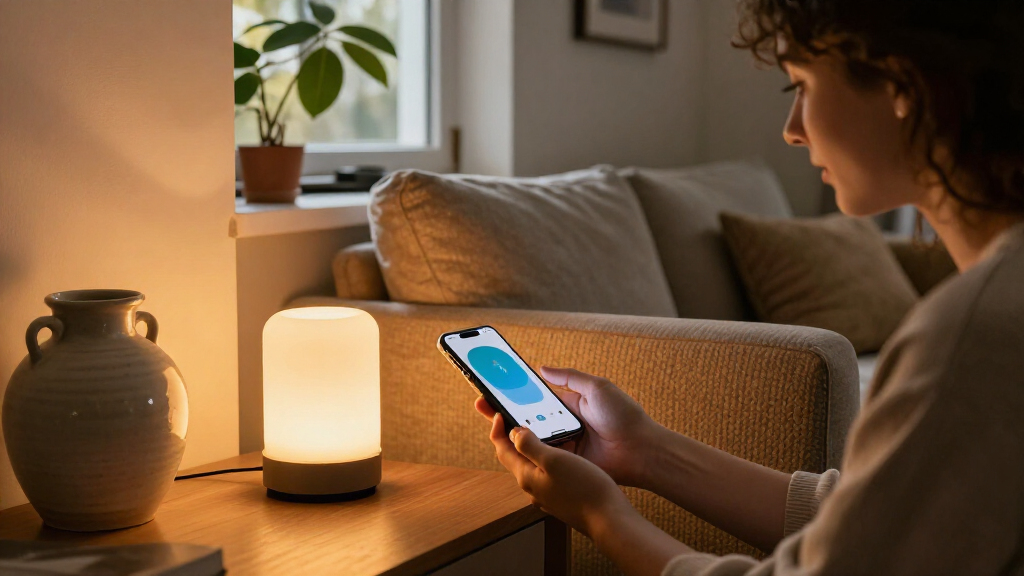
The best HomeKit smart home devices make everyday routines easier without locking you into controls that do not fit your home. My best overall pick is the Kasa KS220P3 Smart Dimmer Switch for adding adjustable lighting control, while the Aqara Smart Thermostat W200 stands out for climate control and the Meross MSG100HK for HomeKit garage access. The main tradeoffs are whether you want a simple plug-in upgrade or a more involved installation, and whether a device’s extra features justify its setup needs. Compatibility details, wiring, hubs, and Matter support can also change what works best in your home. Read on for the full breakdown and help choosing the right device for your setup.

Get decor and gifts delivered free with Prime
- Fast, free delivery on millions of items
- Prime Video, Amazon Music and more included
- Member-only deals all year
Complete the kit


Key Takeaways
- Lighting switches offer more lasting control than plugs: The Kasa KS220P3 adds dimming at the wall, while the Kasa KS200P3 and Meross four-pack suit buyers replacing standard switches.
- Plugs are the easiest way to add HomeKit control: The roundup spans compact single plugs, multipacks, an outdoor model, and a power strip, so the right pick depends on outlet location and how many devices you need to control.
- Smart-home features come with setup tradeoffs: The thermostat, garage controller, camera, and scene buttons address more specific needs than plugs, but buyers should check installation and ecosystem requirements before choosing them.
- Matter support does not make every setup identical: The Tapo Matter plug and Linkind Matter plug can suit broader smart-home plans, while HomeKit-specific options may be a more direct fit for Apple-centered homes.
- The best pick depends on the job, not the longest feature list: A plug is useful for a lamp, but it is not a substitute for a dimmer, thermostat, garage control, or dedicated scene controller.
| Kasa KS220P3 Apple HomeKit Smart Dimmer Switch, 3-Pack |  | Best HomeKit Dimmer Switch Pack | Model: KS220P3 | Pack size: 3 switches | Switch type: Single-pole dimmer | VIEW LATEST PRICE | See Our Full Breakdown |
| Aqara Smart Thermostat W200 with Apple Adaptive Temperature |  | Best Premium HomeKit Thermostat | HVAC compatibility: Works with about 85% of HVAC systems, including furnaces, air conditioners, heat pumps, boilers, and PTAC units | Display: 4-inch full-color touchscreen | Presence detection: Built-in mmWave radar | VIEW LATEST PRICE | See Our Full Breakdown |
| Kasa EP40A Outdoor Smart Plug with Apple HomeKit, 2 Outlets |  | Best Outdoor HomeKit Plug | Model: EP40A | Outlets: 2 independently controlled AC outlets | Maximum load: 15 A / 1875 W per outlet | VIEW LATEST PRICE | See Our Full Breakdown |
| Kasa Smart Plug Mini 15A with Energy Monitoring, Apple HomeKit Support |  | Best HomeKit Plug for Energy Tracking | Model: EP25P4 | Maximum current: 15 A | Maximum wattage: 1800 W | VIEW LATEST PRICE | See Our Full Breakdown |
| Philips Hue Smart Plug, White, 2-Pack |  | Best HomeKit Plug for Hue Lighting | Model: 552349-2 | Quantity: 2 smart plugs | Connectivity: Bluetooth and Zigbee | VIEW LATEST PRICE | See Our Full Breakdown |
| TP-Link Tapo Matter Smart Plug Mini, 15A/1800W, 3-Pack |  | Best Value Matter Plug Pack | Pack size: 3 plugs | Maximum current: 15 A | Maximum wattage: 1800 W | VIEW LATEST PRICE | See Our Full Breakdown |
| Meross MSG100HK Smart Garage Door Opener with HomeKit, Alexa, and Google Assistant |  | Best for HomeKit Garage Access | Model: MSG100HK | Connectivity: 2.4 GHz Wi-Fi | Compatible platforms: Apple HomeKit, Siri, CarPlay, Amazon Alexa, Google Assistant, SmartThings | VIEW LATEST PRICE | See Our Full Breakdown |
| Aqara Camera E1 2K Indoor Security Camera |  | Best HomeKit Secure Video Camera | Resolution: 2304 × 1296 pixels (2K) | Viewing: 360° pan and tilt | Night vision: 940 nm infrared | VIEW LATEST PRICE | See Our Full Breakdown |
| Tapo P316M Matter Smart Wi-Fi Power Strip with Energy Monitoring |  | Best HomeKit Power Strip | Model: P316M | AC outlets: 6 individually controlled | USB ports: 3 always-on, 5 V 2.4 A | VIEW LATEST PRICE | See Our Full Breakdown |
| Airversa QliQ AC1 HomeKit Button Controller, White |  | Best Thread Scene Controller | Buttons: 3 | Supported actions: Up to 9 | Connectivity: Thread; Apple Home (HomeKit) | VIEW LATEST PRICE | See Our Full Breakdown |
| Kasa KS200P3 Apple HomeKit Smart Light Switch, Single Pole |  | Best HomeKit Light Switch for Multi-Assistant Homes | Model: KS200P3 | Switch type: One-way, SPST | Operation: On/Off | VIEW LATEST PRICE | See Our Full Breakdown |
| Onvis 5-Key Smart Button Scene Controller for Apple HomeKit |  | Best Physical Scene Controller | Model: HS2 | Keys: 5 | Supported presses: Single, double, and long press | VIEW LATEST PRICE | See Our Full Breakdown |
| Tapo P125 Smart Mini Wi-Fi Plug, 15A, 2-Pack |  | Best Simple HomeKit Plug Pair | Model: P125 | Quantity: 2 plugs | Maximum power: 1800 W | VIEW LATEST PRICE | See Our Full Breakdown |
| Linkind Matter Smart Plug, 4-Pack |  | Best Matter Plug Set | Model: LC09003256 | Pack count: 4 | Connectivity: 2.4 GHz Wi-Fi; IPv6 required | VIEW LATEST PRICE | See Our Full Breakdown |
| meross Smart Light Switch, Single Pole, 4-Pack |  | Best Multi-Switch Upgrade | Model: MSS510 | Pack size: 4 switches | Switch type: Single-pole, 1-way | VIEW LATEST PRICE | See Our Full Breakdown |
| HomeKit smart home device | Connectivity | Model |
|---|---|---|
| Kasa KS220P3 Apple HomeKit Sma | 2.4 GHz Wi-Fi | KS220P3 |
| Aqara Smart Thermostat W200 wi | Dual-band Wi-Fi (2.4 GHz and 5 GHz) | — |
| Kasa EP40A Outdoor Smart Plug | — | EP40A |
| Kasa Smart Plug Mini 15A with | 2.4 GHz Wi-Fi | EP25P4 |
| Philips Hue Smart Plug | Bluetooth and Zigbee | 552349-2 |
| TP-Link Tapo Matter Smart Plug | 2.4 GHz Wi-Fi, Bluetooth, Matter | — |
| Meross MSG100HK Smart Garage D | 2.4 GHz Wi-Fi | MSG100HK |
| Aqara Camera E1 2K Indoor Secu | Wi-Fi 6, 2.4 GHz only; WPA3 | — |
| Tapo P316M Matter Smart Wi-Fi | 2.4 GHz Wi-Fi; Matter-certified | P316M |
| Airversa QliQ AC1 HomeKit Butt | Thread; Apple Home (HomeKit) | — |
| Kasa KS200P3 Apple HomeKit Sma | 2.4 GHz Wi-Fi | KS200P3 |
| Onvis 5-Key Smart Button Scene | Thread and Bluetooth | HS2 |
| Tapo P125 Smart Mini Wi-Fi Plu | 2.4 GHz Wi-Fi and Bluetooth | P125 |
| Linkind Matter Smart Plug | 2.4 GHz Wi-Fi; IPv6 required | LC09003256 |
| meross Smart Light Switch | — | MSS510 |
More Details on Our Top Picks
Kasa KS220P3 Apple HomeKit Smart Dimmer Switch, 3-Pack
I’d choose the Kasa KS220P3 when the goal is to add dimming to several rooms without committing to a separate hub. Its three-switch pack, HomeKit and Siri support, and schedules make it a more lighting-focused pick than the Kasa EP40A Outdoor Smart Plug, which controls plug-in devices rather than built-in fixtures. Fade-off gives lights a gradual shutoff, while Away Mode can help make a home appear occupied.
The tradeoff is installation: each switch needs a neutral wire and a single-pole circuit, so it won’t suit every older home or multi-location setup. It also relies on 2.4 GHz Wi-Fi, and remote HomeKit control requires a networked Apple device at home. I’d skip it if the wiring isn’t compatible or you only need to automate lamps.
Pros:- Three switches make it practical to outfit several rooms at once.
- Works with Apple HomeKit and Siri as well as Alexa and Google Assistant.
- Schedules, timers, Away Mode, and fade-off add useful lighting automation.
- Connects over Wi-Fi without a separate hub.
Cons:- Requires a neutral wire and compatible single-pole wiring.
- Needs 2.4 GHz Wi-Fi.
- Remote HomeKit control requires a networked Apple device at home.
Best for: Homeowners with neutral-wire, single-pole lighting who want HomeKit dimming in three rooms without adding a hub.
Not ideal for: Renters, homes without neutral wires, or buyers who need a dimmer for a multi-location circuit.
- Model:KS220P3
- Pack size:3 switches
- Switch type:Single-pole dimmer
- Input voltage:100–120 VAC, 50/60 Hz
- Wattage:150 W
- Connectivity:2.4 GHz Wi-Fi
- Installation:Neutral wire required
- Dimensions:5.04 × 3.33 × 1.77 inches
- Certification:UL
Our verdict“Choose this three-pack for hub-free HomeKit dimming across compatible single-pole circuits, but check your wiring before buying.”
Aqara Smart Thermostat W200 with Apple Adaptive Temperature
The Aqara W200 is the most ambitious option here: it pairs thermostat control with a 4-inch touchscreen, mmWave presence detection, and Matter support across Apple Home, Google Home, Alexa, and SmartThings. Compared with the Kasa KS220P3, which automates lighting on a compatible circuit, the W200 can shape comfort around room occupancy and HVAC needs. Its included Zigbee hub, Matter controller, and Thread border router also give it a broader smart-home role than a single-purpose thermostat.
That breadth comes with setup dependencies. Check HVAC compatibility and wiring first; homes without a C-wire need an adapter sold separately. Apple Adaptive Temperature requires a compatible home hub and devices running version 26 or later, while Clean Energy Guidance is limited to the contiguous U.S. I’d favor a simpler device if you only need basic temperature scheduling.
Pros:- Supports a wide range of HVAC types, including heat pumps, boilers, and PTAC units.
- Matter support connects with Apple Home and several other smart-home platforms.
- Built-in mmWave presence detection can inform comfort and energy automations.
- Touchscreen and included smart-home protocols give it uses beyond temperature control.
Cons:- A C-wire adapter is sold separately if the home lacks a C-wire.
- Apple Adaptive Temperature requires a compatible hub and devices running version 26 or later.
- Clean Energy Guidance is available only in the contiguous U.S.
Best for: Homeowners with compatible HVAC who want a touchscreen thermostat that can anchor a multi-platform smart home and automate comfort by presence.
Not ideal for: Buyers seeking a simple thermostat, households without compatible HVAC, or anyone unwilling to check C-wire needs and Apple software requirements.
- HVAC compatibility:Works with about 85% of HVAC systems, including furnaces, air conditioners, heat pumps, boilers, and PTAC units
- Display:4-inch full-color touchscreen
- Presence detection:Built-in mmWave radar
- Connectivity:Dual-band Wi-Fi (2.4 GHz and 5 GHz)
- Smart-home protocols:Matter 1.4, Zigbee, and Thread
- Compatible platforms:Apple Home, Google Home, Amazon Alexa, Samsung SmartThings, and Home Assistant
- C-wire:Requires Aqara C-Wire Adapter if no C-wire is available; sold separately
- Included accessories:Trim kit
Our verdict“Pick the W200 if you want a feature-rich, multi-platform thermostat and your HVAC and Apple setup meet its requirements.”
Kasa EP40A Outdoor Smart Plug with Apple HomeKit, 2 Outlets
For patios, seasonal lights, or other outdoor equipment, I’d pick the Kasa EP40A over the indoor-focused Kasa Smart Plug Mini EP25P4. Its two outlets operate independently, so one plug can schedule separate devices rather than treating them as a single load. IP64 protection helps it handle dust and water splashes, and HomeKit, Siri, Alexa, and Google Assistant support leave room to mix platforms.
It connects directly to 2.4 GHz Wi-Fi, avoiding a hub, but that also makes it dependent on a suitable wireless signal outdoors. Each outlet is rated for up to 15 A / 1875 W; buyers should check the demands of their equipment and use the device as directed. Remote HomeKit control requires a networked Apple device at home. I’d skip it for indoor-only use or locations exposed to conditions beyond its stated protection.
Pros:- Two outlets can be scheduled and controlled independently.
- IP64 protection suits outdoor locations exposed to dust and water splashes.
- Supports HomeKit, Siri, Alexa, and Google Assistant without a hub.
- App controls, schedules, and grouping support flexible routines.
Cons:- Requires 2.4 GHz Wi-Fi with adequate outdoor coverage.
- Remote HomeKit control requires a networked Apple device at home.
- Protection is specified as IP64, not for submersion.
Best for: Homeowners automating two outdoor plug-in devices, such as patio lighting and seasonal decor, who have reliable 2.4 GHz Wi-Fi outside.
Not ideal for: Buyers who need a weatherproof solution for full submersion or severe exposure, or who want an indoor plug with energy monitoring.
- Model:EP40A
- Outlets:2 independently controlled AC outlets
- Maximum load:15 A / 1875 W per outlet
- Weather resistance:IP64
- Wi-Fi:2.4 GHz, 802.11 b/g/n; range up to 300 ft
- Voltage:125 V AC
- Plug type:Type A
- Certification:ETL
- Warranty:2 years
Our verdict“Choose the EP40A when you need two separately controlled outdoor outlets and your Wi-Fi reaches the installation spot.”
Kasa Smart Plug Mini 15A with Energy Monitoring, Apple HomeKit Support
The Kasa Smart Plug Mini EP25P4 is the better fit when you want to automate an indoor appliance and see how much energy it uses. That monitoring sets it apart from the Philips Hue Smart Plug, whose listed strengths center on lighting control and a Bluetooth-to-Bridge path. The Kasa also supports HomeKit, Siri, Alexa, Google Assistant, and SmartThings, so it can fit into a mixed-platform home while handling schedules and timers.
Its compact form is useful when a bulky adapter might block the neighboring outlet, and its 15 A / 1800 W capacity covers many common plug-in loads. Still, this is a 2.4 GHz Wi-Fi device, not a no-network option. Remote HomeKit control also depends on a networked Apple device at home. I’d choose another approach for outdoor equipment or if local energy data isn’t a priority.
Pros:- Tracks real-time and historical energy consumption.
- Compact design helps leave a second outlet available.
- Supports Apple HomeKit, Siri, Alexa, Google Assistant, and SmartThings.
- Schedules, timers, and app control support everyday automation.
Cons:- Requires 2.4 GHz Wi-Fi.
- Remote HomeKit control requires a networked Apple device at home.
- Its listed specifications are for indoor use rather than outdoor weather exposure.
Best for: HomeKit households that want to schedule indoor appliances and track their energy use, especially where preserving the adjacent outlet matters.
Not ideal for: Buyers needing an outdoor plug, a hub-free wireless setup, or remote HomeKit control without a networked Apple device at home.
- Model:EP25P4
- Maximum current:15 A
- Maximum wattage:1800 W
- Operating voltage:120 V AC
- Connectivity:2.4 GHz Wi-Fi
- Energy monitoring:Yes
- Compatible assistants:Apple HomeKit, Siri, Amazon Alexa, Google Assistant, and SmartThings
- Operating humidity:5%–90% RH, non-condensing
- Warranty:2-year limited warranty
Our verdict“Choose the EP25P4 for compact indoor automation with energy tracking, not for outdoor use or remote HomeKit without an Apple home device.”
Philips Hue Smart Plug, White, 2-Pack
The Philips Hue Smart Plug two-pack makes the most sense for buyers who already use Hue or want to bring lamps into its lighting routines. Bluetooth provides basic control without a Hue Bridge, while adding the Bridge opens up automations and more features. Compared with the Kasa EP25P4, it is more closely tied to a lighting ecosystem and does not list energy monitoring; its appeal is the option to start with Bluetooth and expand later.
The pair of compact plugs can control lamps through the app or supported voice assistants, including Apple HomeKit. That flexibility has a clear limit: the Hue Bridge is sold separately and is needed for the expanded automation experience. I’d choose the Kasa for appliance energy tracking, or the EP40A for outdoor use. This Hue pick is for indoor lighting, not a general-purpose outdoor plug.
Pros:- Two plugs provide a straightforward way to automate multiple lamps.
- Bluetooth enables basic control without a Hue Bridge.
- Compact dimensions help avoid blocking adjacent sockets.
- Supports Apple HomeKit, Amazon Alexa, and Google Assistant.
Cons:- Hue Bridge is sold separately for automations and additional features.
- The listed 10-watt specification may limit suitability for some connected equipment.
- Unlike the Kasa EP25P4, it does not list energy monitoring.
Best for: Hue households or HomeKit users who want two compact plugs for lamps and are comfortable adding a Hue Bridge for expanded automation.
Not ideal for: Buyers who need energy monitoring, outdoor weather protection, or advanced automations without purchasing a Hue Bridge.
- Model:552349-2
- Quantity:2 smart plugs
- Connectivity:Bluetooth and Zigbee
- Voice assistants:Amazon Alexa, Google Assistant, and Apple HomeKit
- Wattage:10 watts
- Dimensions:2.7 × 1.5 × 2.1 inches
- Material:Synthetic polymer (PMMA)
- Warranty:2 years
Our verdict“Pick this two-pack for compact Hue-compatible lamp control, and choose another option if you need energy tracking or outdoor operation.”
TP-Link Tapo Matter Smart Plug Mini, 15A/1800W, 3-Pack
I’d pick the Tapo Matter Smart Plug Mini when I want to add several everyday devices to Apple Home without tying the plugs to one ecosystem. Matter support also lets these plugs work with Alexa, Google Home, and SmartThings, while local network control keeps commands available during an internet outage. Their compact shape helps preserve access to neighboring outlets, a practical advantage over bulkier plugs.
Compared with the Tapo P316M power strip, this three-pack is easier to place around a room, but it lacks outlet-by-outlet energy monitoring and USB ports. The tradeoff is a 15 A, 1800 W limit and a requirement for 2.4 GHz Wi-Fi. I’d skip them for appliances that exceed that load or for a home without a compatible Wi-Fi network.
Pros:- Matter support works across Apple Home, Alexa, Google Home, and SmartThings
- Local network control can keep commands working when internet access is down
- Compact design helps leave adjacent outlets accessible
- Three control options include app commands, voice, schedules, and timers
Cons:- Requires a 2.4 GHz Wi-Fi network
- 15 A and 1800 W maximum load rules out higher-powered devices
Best for: Apple Home households that want to automate several lamps or other compatible devices while keeping the option to use other Matter platforms.
Not ideal for: Buyers who need energy monitoring, switched USB charging, or control of devices above 15 A or 1800 W.
- Pack size:3 plugs
- Maximum current:15 A
- Maximum wattage:1800 W
- Operating voltage:120 V AC
- Connectivity:2.4 GHz Wi-Fi, Bluetooth, Matter
- Compatible platforms:Apple Home, Amazon Alexa, Google Home, Samsung SmartThings
- Control methods:App, voice, scheduling, and timers
- Warranty:2-year limited
Our verdict“Choose this three-pack for flexible Matter control of several everyday devices, but pick the Tapo P316M if you need energy monitoring or multiple outlets in one spot.”
Meross MSG100HK Smart Garage Door Opener with HomeKit, Alexa, and Google Assistant
The Meross MSG100HK is the pick I’d make when the goal is bringing an existing garage door into Apple Home rather than replacing the opener. Its wired sensor reports door status, and the app provides an opening and closing history, so you can check whether the door is shut instead of relying only on a remote command. Automatic and scheduled closing add useful control, with no subscription fee.
Unlike the TP-Link Tapo Matter Smart Plug Mini, this is a focused retrofit device, not a general-purpose Matter accessory. It also works with several platforms, but installation is more dependent on the existing hardware: some openers need an adapter, and Security+ 3.0 is not supported. I’d confirm opener compatibility before buying, and expect to use 2.4 GHz Wi-Fi.
Pros:- Adds app and voice control without replacing a compatible garage door opener
- Wired sensor provides door status and open-and-close history
- Supports automatic and scheduled closing without subscription fees
- Compatible with Apple HomeKit, Siri, CarPlay, Alexa, Google Assistant, and SmartThings
Cons:- Some existing openers may require a separate adapter
- Does not support Security+ 3.0
- Limited to 2.4 GHz Wi-Fi and one supported opener
Best for: Homeowners with a compatible existing garage opener who want Apple Home status checks, voice commands, and scheduled closing.
Not ideal for: Owners of Security+ 3.0 openers, people without 2.4 GHz Wi-Fi, or buyers seeking a device that controls more than one garage door.
- Model:MSG100HK
- Connectivity:2.4 GHz Wi-Fi
- Compatible platforms:Apple HomeKit, Siri, CarPlay, Amazon Alexa, Google Assistant, SmartThings
- Compatibility:200+ brands and 1,600+ models; Security+ 1.0 and 2.0, not Security+ 3.0
- Sensor:Wired door-status sensor
- Maximum supported devices:1
- Maximum range:200 meters
- Dimensions:3 × 2 × 1 inches
- Subscription fees:None
Our verdict“Choose the MSG100HK to add status-aware HomeKit control to a compatible garage opener, after checking the opener model and security protocol.”
Aqara Camera E1 2K Indoor Security Camera
I’d choose the Aqara Camera E1 for indoor coverage that can follow activity across a room rather than watch a single fixed angle. Its 2K video and 360° pan-and-tilt view make it more adaptable than a static camera, while HomeKit Secure Video and local motion and person detection give Apple Home users several ways to handle alerts and footage. A privacy mode can pivot the lens and deactivate the camera.
Compared with the Meross MSG100HK, the E1 offers broader room monitoring but adds camera-specific setup and storage choices. Footage can go to microSD or a compatible NAS, while cloud storage and advanced recognition require an Aqara subscription. I’d also account for the power supply not being included and its 2.4 GHz-only Wi-Fi before choosing a mounting location.
Pros:- 2K resolution and 360° pan-and-tilt viewing cover more of a room than a fixed camera
- Supports HomeKit Secure Video and local motion and person detection
- Privacy mode can pivot the lens and deactivate the camera
- Offers microSD storage and SMB3-compatible NAS backup
Cons:- USB-A power supply is not included
- Connects over 2.4 GHz Wi-Fi only
- Cloud storage and advanced recognition require an Aqara subscription
Best for: Apple Home households seeking a pan-and-tilt indoor camera with HomeKit Secure Video support and local storage options.
Not ideal for: Buyers who need a camera that connects over 5 GHz Wi-Fi, want an included power supply, or require cloud recognition without a subscription.
- Resolution:2304 × 1296 pixels (2K)
- Viewing:360° pan and tilt
- Night vision:940 nm infrared
- Connectivity:Wi-Fi 6, 2.4 GHz only; WPA3
- Power:USB-C; requires 5 V 2 A USB-A power supply, not included
- Local storage:microSD up to 512 GB; SMB3-compatible NAS backup
- Smart home compatibility:HomeKit Secure Video, Alexa, IFTTT
- Detection:Local motion and person detection; AI sound detection
- Cloud features:Aqara HomeGuardian subscription required for cloud storage and advanced recognition
Our verdict“Pick the Camera E1 for flexible HomeKit-compatible room coverage and local storage choices, provided its Wi-Fi and power requirements suit your setup.”
Tapo P316M Matter Smart Wi-Fi Power Strip with Energy Monitoring
The Tapo P316M makes the most sense when several devices share one location and I want separate control rather than a single switched strip. Its six individually controlled AC outlets let schedules and voice commands target specific devices, while energy monitoring can help identify which connected appliances draw power. Matter support also makes it a flexible fit for Apple Home and other compatible platforms.
Compared with the Tapo Matter Smart Plug Mini three-pack, the P316M consolidates control and adds surge protection, energy monitoring, and three USB ports. The tradeoff is a desk- or floor-bound strip with a 37-inch cord, not plugs that can be distributed around the home. The USB ports stay on and cannot be controlled individually, and setup still depends on 2.4 GHz Wi-Fi.
Pros:- Six AC outlets are controlled individually
- Energy monitoring helps track consumption by connected outlet
- Matter support enables use with compatible smart home platforms
- Adds surge protection, schedules, timers, and three always-on USB ports
Cons:- USB ports are always on and cannot be controlled individually
- Requires 2.4 GHz Wi-Fi
- The 37-inch cord can limit placement options
Best for: Apple Home users managing several electronics at one workstation or media area who want individual outlet control and energy tracking.
Not ideal for: Buyers who need widely separated outlets, individually switched USB ports, or a longer cord for distant wall sockets.
- Model:P316M
- AC outlets:6 individually controlled
- USB ports:3 always-on, 5 V 2.4 A
- Maximum current:15 A
- Voltage:120 V
- Connectivity:2.4 GHz Wi-Fi; Matter-certified
- Power cord:37 inches (3 feet)
- Features:Energy monitoring, surge protection, schedules, timers, remote and local app control, voice control
- Certification:ETL
Our verdict“Choose the P316M for a centralized HomeKit setup that benefits from individually controlled, monitored outlets; use separate Tapo Mini plugs when devices are spread out.”
Airversa QliQ AC1 HomeKit Button Controller, White
The Airversa QliQ AC1 is a hands-on shortcut for Apple Home scenes when using an iPhone or voice assistant is inconvenient. Its three buttons support single, double, and long presses, giving each control up to nine assignable actions. Thread connects it to a compatible Apple Home hub, while vibration and audible feedback help confirm a press. The included wall plate and magnetic attachment make placement more flexible than a fixed wall switch.
Unlike the Onvis 5-Key Smart Button Scene Controller, the QliQ has fewer physical buttons but offers three press types per button and a rechargeable battery. That battery lasts up to two months per charge, so it needs periodic charging. Its biggest limitation is platform lock-in: it works with Apple Home only and requires a Thread-enabled hub within 30 feet.
Pros:- Three buttons with single, double, and long presses support up to nine actions
- Thread connectivity works with Apple Home
- Rechargeable battery lasts up to two months per charge
- Includes wall plate and magnetic attachment, with vibration and audible feedback
Cons:- Requires a compatible Thread-enabled Apple Home hub within 30 feet
- Works exclusively with Apple Home
- Battery requires recharging about every two months at the stated maximum life
Best for: Apple Home users who want a rechargeable, wall-mountable physical controller for scenes and repeated smart-home actions.
Not ideal for: Households using Alexa, Google Home, or SmartThings without Apple Home, or buyers without a nearby Thread-enabled Apple Home hub.
- Buttons:3
- Supported actions:Up to 9
- Connectivity:Thread; Apple Home (HomeKit)
- Hub requirement:Thread-enabled Apple Home hub within 30 feet
- Battery:Rechargeable lithium-ion
- Battery life:Up to 2 months per charge
- Dimensions:2.99 × 1.26 × 0.57 inches
- Mounting:Surface mount; magnetic attachment
- Certification:CE; MFi HomeKit
Our verdict“Choose the QliQ AC1 for configurable physical Apple Home shortcuts, but pick the Onvis five-key controller if you prefer more dedicated buttons or need a different control layout.”
Kasa KS200P3 Apple HomeKit Smart Light Switch, Single Pole
The Kasa KS200P3 suits buyers who want HomeKit control at the wall without giving up Alexa or Google Assistant support. It handles basic on/off switching, schedules, timers, and Away Mode, and it connects directly to 2.4 GHz Wi-Fi without a separate hub. Compared with the meross MSS510 four-pack, this is a better fit when you need a specific single-pole replacement rather than several switches; the meross offers sunrise and sunset routines and saved schedules that keep running during internet outages. The tradeoffs are practical: installation requires a neutral wire, and HomeKit remote access depends on a networked Apple device at home. I’d choose it for a mixed-assistant household, but not for a dimming setup—the lineup’s Kasa KS220P3 is the relevant alternative for that job.
Pros:- Supports Apple HomeKit, Siri, Alexa, and Google Assistant
- Schedules, timers, Away Mode, and remote app control
- No separate smart-home hub required
- Installation accessories and app guidance are included
Cons:- Requires a neutral wire and 2.4 GHz Wi-Fi
- HomeKit remote control requires a networked Apple device at home
- On/off operation does not replace a dimmer
Best for: Homeowners replacing one single-pole switch who want Apple HomeKit plus Alexa or Google Assistant control.
Not ideal for: Homes without a neutral wire, buyers seeking dimming, or anyone who needs HomeKit remote access without an Apple home hub or other networked Apple device.
- Model:KS200P3
- Switch type:One-way, SPST
- Operation:On/Off
- Input voltage:100–120 VAC, 50/60 Hz
- Maximum wattage:600 W
- Connectivity:2.4 GHz Wi-Fi
- Installation:Neutral wire required; no hub required
- Dimensions:5.04 × 3.33 × 1.41 inches
Our verdict“Choose the KS200P3 for a single-pole, on/off HomeKit switch that also works with Alexa and Google, provided your wiring includes a neutral.”
Onvis 5-Key Smart Button Scene Controller for Apple HomeKit
The Onvis HS2 is the most direct choice here for controlling HomeKit scenes from a physical button rather than an app or voice command. Its five keys accept single, double, and long presses, allowing up to 15 scene assignments for lights and other compatible devices. That gives it a different role from the Airversa QliQ AC1, another HomeKit button in this roundup: the Onvis offers five keys and a larger set of possible press actions, while buyers should compare the Airversa if they want a simpler button-controller option. The Onvis connects by Thread or Bluetooth and stores data locally, but Thread requires a compatible Apple Home hub, and the listed software requirement is iOS 17.4 or later. It’s a strong fit for a household that wants tactile scene shortcuts, not for someone expecting a standalone controller outside HomeKit.
Pros:- Five keys support up to 15 scene assignments
- Single, double, and long presses add control options
- Thread and Bluetooth connectivity
- Local data storage and included adhesive and magnetic mounting
Cons:- Thread connectivity requires a Thread-enabled Apple Home hub
- Requires iOS 17.4 or later
- Controls compatible HomeKit devices rather than operating as a standalone smart-home system
Best for: HomeKit households that want several physical shortcuts for scenes, such as separate controls for lighting, bedtime, and leaving home.
Not ideal for: People without an Apple Home setup or those who want Thread connectivity but lack a Thread-enabled Apple Home hub.
- Model:HS2
- Keys:5
- Supported presses:Single, double, and long press
- Maximum scenes:15
- Connectivity:Thread and Bluetooth
- Hub requirement:Thread-enabled Apple Home hub required for Thread
- Dimensions:2.17 × 0.79 × 2.17 inches
- Mounting:Surface mount; adhesive tape and magnetic strips included
Our verdict“Pick the Onvis HS2 if you want a five-key physical controller for multiple HomeKit scenes and meet its hub and iOS requirements.”
Tapo P125 Smart Mini Wi-Fi Plug, 15A, 2-Pack
The Tapo P125 two-pack is a straightforward way to add HomeKit control to lamps and other compatible plug-in devices without adding a hub. Its compact design is meant to leave neighboring outlets usable, and the pair supports schedules, timers, and Away Mode through the Tapo app. Compared with the Linkind Matter Smart Plug four-pack, Tapo is the simpler pick if you need two plugs and don’t want to add a Matter hub for Apple Home; Linkind offers more plugs and local LAN control when internet service is down, but requires a compatible Matter hub for Apple Home. The P125 still depends on 2.4 GHz Wi-Fi, and remote HomeKit access requires an Apple device at home. I’d choose it for uncomplicated everyday automation, not for buyers who prioritize outage-friendly Matter control or a larger set.
Pros:- Includes two plugs with a compact design intended to preserve adjacent outlets
- Supports Apple HomeKit, Siri, Alexa, Google Home, and SmartThings
- Scheduling, timers, and Away Mode are available
- No separate hub required
Cons:- Requires 2.4 GHz Wi-Fi
- HomeKit remote control requires an additional Apple device at home
- Does not offer the Linkind plug’s stated Matter local-LAN control during internet outages
Best for: Apple Home users who need two compact plugs for lamps or other plug-in devices and want scheduling without a separate hub.
Not ideal for: Buyers who want a four-plug set, Matter-based local control during internet outages, or a plug that works on Wi-Fi bands other than 2.4 GHz.
- Model:P125
- Quantity:2 plugs
- Maximum power:1800 W
- Operating voltage:120 V AC
- Connectivity:2.4 GHz Wi-Fi and Bluetooth
- Compatible platforms:Apple HomeKit, Siri, Alexa, Google Home, SmartThings
- Control:App, voice, and touch
- Certifications:UL, FCC, RoHS
Our verdict“Choose the Tapo P125 pair for simple, hub-free HomeKit control of two devices, but choose the Linkind four-pack if Matter hub support and outage control matter more.”
Linkind Matter Smart Plug, 4-Pack
The Linkind Matter Smart Plug four-pack stands out for buyers who want several outlets under one cross-platform setup. It supports Apple Home, Alexa, Google Home, and SmartThings through a compatible Matter hub, while Matter devices can be controlled locally over the LAN when the internet is offline. That offline behavior is a meaningful distinction from the Tapo P125, which is a simpler two-plug option and does not list Matter LAN control. Linkind also includes short-circuit and overload protection and is rated for up to 15 A and 1800 W. The tradeoff is setup: Apple Home use requires a compatible Matter hub, and the plugs also need 2.4 GHz Wi-Fi and IPv6. I’d pick this set for a Matter-ready home with multiple devices to automate; for a smaller, hub-free HomeKit setup, the Tapo pair is less demanding.
Pros:- Four plugs provide coverage for several devices
- Matter support spans Apple Home, Alexa, Google Home, and SmartThings with a compatible hub
- Local LAN control is supported when internet access is offline
- Includes short-circuit and overload protection
Cons:- Requires a compatible Matter hub for Apple Home and the other listed smart-home platforms
- Requires both 2.4 GHz Wi-Fi and IPv6
- Setup depends on a compatible Matter ecosystem rather than offering hub-free HomeKit access
Best for: Matter-ready households that want four plugs for multiple devices and value local control over the home network when internet service is unavailable.
Not ideal for: HomeKit users without a compatible Matter hub, or buyers whose network does not support 2.4 GHz Wi-Fi and IPv6.
- Model:LC09003256
- Pack count:4
- Connectivity:2.4 GHz Wi-Fi; IPv6 required
- Smart-home compatibility:Apple Home, Alexa, Google Home, SmartThings, AiDot
- Maximum power:1800 W
- Amperage:15 A
- Plug type:Type A
- Certifications:FCC, ETL
Our verdict“Choose Linkind if you already have a compatible Matter hub and want four plugs with local-network control; otherwise, the Tapo P125 is the simpler HomeKit route.”
meross Smart Light Switch, Single Pole, 4-Pack
The meross MSS510 four-pack makes the most sense when several single-pole switches need replacing at once. It supports HomeKit, Siri, Alexa, Google Assistant, and SmartThings, with schedules, timers, and sunrise and sunset routines that let lighting follow the day. Its saved schedules continue working when the internet is down, a useful advantage over a basic app-controlled setup. Compared with the Kasa KS200P3, meross is aimed at a multi-room refresh and adds those sunrise and sunset routines; the Kasa is a single-switch option with a stated 600 W rating, while this meross model is rated at 400 W. Both require a neutral wire and 2.4 GHz Wi-Fi. I’d choose meross when replacing multiple switches and automating routines matters more than higher listed wattage; it is not a fit for homes without neutral wiring or for dimming.
Pros:- Four switches suit multi-room replacement projects
- Works with Apple HomeKit, Siri, Alexa, Google Assistant, and SmartThings
- Supports timers, schedules, and sunrise and sunset routines
- Saved schedules continue working when the internet is down
Cons:- Requires a neutral wire and 2.4 GHz Wi-Fi
- Rated at 400 W, below the KS200P3’s listed 600 W
- Single-pole on/off control does not provide dimming
Best for: Homeowners replacing several single-pole switches who want HomeKit and other assistant support plus schedules that keep running through internet outages.
Not ideal for: Homes without a neutral wire, buyers needing dimming, or installations where a 400 W rating is insufficient.
- Model:MSS510
- Pack size:4 switches
- Switch type:Single-pole, 1-way
- Neutral wire:Required
- Wi-Fi:2.4 GHz
- Operating voltage:110 V
- Wattage:400 W
- Dimensions:4.7 × 2.8 × 1.5 inches
Our verdict“Choose the meross four-pack for a multi-switch HomeKit upgrade with outage-tolerant schedules, provided your wiring and load fit its requirements.”

How We Picked
I compared these 15 devices by how directly they address common HomeKit needs: lighting, appliance control, climate, access, security, and scene control. I weighed the practical value of each product’s core function against setup demands, compatibility considerations, form factor, and how many devices or locations it can serve. A useful HomeKit product should fit naturally into an existing routine, not just add another accessory to manage.
The ranking favors versatility and clear everyday usefulness, then accounts for value and specialized capability. That puts the Kasa KS220P3 first as an approachable way to improve lighting across several locations, while the thermostat and garage controller rank as stronger fits for narrower needs. Plugs remain appealing for simple upgrades, but their position depends on details such as outdoor use, energy monitoring, Matter support, and whether a multipack or power strip better fits the job.
Factors to Consider When Choosing Best HomeKit Smart Home Devices
Before choosing among the best HomeKit smart home devices, start with the task you want to automate and the limits of the room or wiring. These broader checks can prevent common mismatches that a feature list alone will not reveal.
Match the device to the control you actually need
Decide whether you need on/off control, dimming, scheduling, sensing, or a physical scene button before comparing models. A smart plug can automate a lamp, but it cannot dim a bulb that is not designed for that job. A wall switch is a better fit when people still need familiar manual control, while a button controller can trigger scenes without replacing existing switches. Buyers sometimes choose a plug because installation looks simple, then find that it does not provide the lighting behavior they wanted. Write down the action you expect the device to perform and choose the product type around that action.
Check wiring, outlets, and installation limits first
Wall switches and thermostats may require wiring or other home-specific conditions, so check the manufacturer’s installation requirements before ordering. For plugs, check the outlet orientation and whether a bulky adapter would block a neighboring socket. Outdoor use calls for a device intended for exterior conditions, not an indoor plug placed near a patio. Garage controllers and cameras also depend on physical placement, access to power, and compatible equipment. Taking a few measurements and checking the existing hardware can save a return and avoid choosing a device that cannot be installed where you need it.
Treat HomeKit, Matter, and hubs as separate compatibility checks
Do not assume that every smart-home protocol or ecosystem feature works the same way across products. Check the exact model’s HomeKit support, Matter requirements, and whether a hub or compatible controller is needed for the functions you want. Matter can be useful if you expect to use more than one smart-home platform, but it does not remove the need to verify device-specific features and setup steps. A HomeKit-focused accessory may be simpler for a household that only uses Apple’s Home app. Make compatibility checks before buying, especially when adding a device to an existing automation system.
Choose energy monitoring only when it changes a decision
Energy monitoring can help identify how much power a connected appliance uses, but the information is useful only if you plan to act on it. It may help compare equipment or spot an unexpectedly high draw; it is less valuable for a lamp that is already easy to manage. A power strip can consolidate control for several nearby devices, while individual plugs offer more placement flexibility. Avoid plugging in equipment that the product is not rated to handle, and check the manufacturer’s limits for each outlet. Pick monitoring and outlet count based on the devices you intend to connect, rather than treating more readings as automatically better.
Plan for household habits, not just automation ideas
Automations work best when they match how people already use a room. Consider whether guests need a physical button, whether someone may turn a wall switch off manually, and whether a camera belongs in a shared space. A scene controller can make a multi-device routine easier to trigger, while app-only control may be enough for an appliance that rarely changes state. Think through what happens when Wi-Fi or a smart-home component is unavailable, and keep essential controls accessible. A setup that everyone can understand is often more useful than one with many routines that only one person remembers.
Pay more for capability you will use repeatedly
It can make sense to choose a more specialized device when it replaces a recurring inconvenience, such as adjusting climate, checking a garage door, or controlling several outlets together. For occasional lamp scheduling, a basic plug may do the job without adding features you will not use. Multipacks can make sense when several rooms need the same kind of control, but they are a poor fit if only one location needs an upgrade. Compare the cost of setup effort as well as the hardware: a more capable device can demand more planning or configuration. Prioritize reliable fit and frequent use over adding features for their own sake.
Frequently Asked Questions
Should I choose a HomeKit-only accessory or a Matter device?
Choose based on the platforms and functions you expect to use, rather than the protocol name alone. A HomeKit-focused accessory can be a straightforward fit for a home managed through Apple Home. Matter may be useful if you want the option to connect compatible devices across different smart-home platforms, but check the exact setup requirements and available features. Confirm that your hub or controller supports the device and the functions you care about. If you are not planning to use another platform, broader compatibility may not be worth extra setup steps.
Can a smart plug replace a smart wall switch?
A smart plug can control power to a plug-in device, but it does not replace the built-in control of a ceiling light or hardwired fixture. It is a practical choice for lamps and other compatible plug-in appliances when you want schedules or remote control. A wall switch is usually the better match when the light is hardwired or household members expect to control it at the wall. Dimming is a separate need, so check that both the switch and connected bulbs support the intended behavior. Choose by how the light is powered and used, not just by which device seems easier to install.
What should I check before installing a HomeKit smart switch?
Check the switch’s wiring requirements, electrical rating, and compatibility with your home’s existing circuit before buying. Verify whether the switch is intended for a single-pole or another wiring arrangement, and confirm that the connected lights suit its function, especially if you want dimming. If you are unsure about the wiring, ask a qualified electrician rather than guessing. Also consider whether people in your home will still have convenient manual control. These checks help avoid buying a switch that cannot be installed or used as intended.
Do HomeKit devices need a hub to run automations?
Requirements vary by accessory and by the HomeKit or Matter features you want to use, so check the device’s current setup guidance before purchasing. Some accessories connect directly for basic control, while remote access or certain automations may depend on a compatible Apple home hub or another supported controller. Matter devices can also have controller and network requirements that differ from a simple plug-in setup. If automations are a key reason for buying, verify that your existing home setup supports them. This is especially useful before selecting a thermostat, camera, or other device with more involved features.
Which type of device should I buy first if I am new to HomeKit?
Start with the task that is easiest to verify and useful in your daily routine, such as controlling a lamp with a smart plug or improving a frequently used light with a switch. A plug avoids changing home wiring, while a wall switch can offer a more natural control point if installation requirements suit your home. Add one device first and learn how it behaves in Apple Home before building multi-device automations. That approach can reveal whether you need a hub, different placement, or a physical scene control. Expand only after the first device solves a real annoyance.
Conclusion
For a balanced lighting upgrade across multiple rooms, I recommend the Kasa KS220P3 as the best overall; it combines wall control with dimming. The best value depends on the job: the Tapo P125 two-pack suits straightforward indoor plug control, while the Linkind four-pack is a practical choice when you need several Matter plugs. For best premium capability, the Aqara Smart Thermostat W200 is the pick for buyers focused on climate, though it is a more specialized purchase than a plug or switch. Beginners should start with a plug that matches their outlet and appliance, then add more involved controls later. For specific needs, choose the Meross MSG100HK for garage access, the Kasa EP40A for outdoor outlets, the Aqara Camera E1 for indoor monitoring, or the Tapo P316M when a power strip and energy monitoring suit the setup.
Halloween Picks
halloween
As an affiliate, we earn on qualifying purchases.