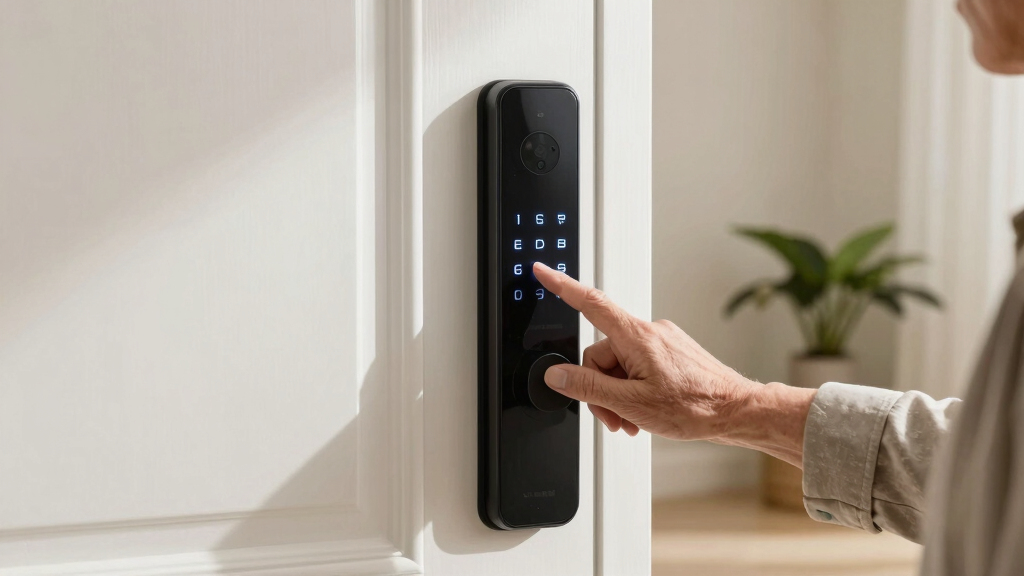

Choosing the best smart door lock for seniors involves balancing ease of use, security features, and reliability. The ULTRALOQ U-Bolt Pro stands out as the overall top pick thanks to its seamless app controls and robust design. For those prioritizing biometric access, the Eufy Security Smart Lock C220 offers quick fingerprint entry, while the Wyze Auto-Lock Bolt v2 provides an affordable option with auto-lock features. The main tradeoffs include complexity of setup, battery life, and feature overload, which can overwhelm some users. Continue reading for a detailed breakdown of each option and how to find the best fit for your loved ones.

Get decor and gifts delivered free — and shop member deals
- Fast, free delivery on millions of items
- Access to Prime Big Deal Days deals on October 6–7
- Prime Video, Amazon Music and more included
Complete the kit


Key Takeaways
- Ease of use and simple access methods are critical for seniors, making fingerprint or keypad options highly appealing.
- Battery life varies significantly; longer-lasting locks reduce maintenance and frustration.
- Build quality and reliability are essential, especially for safety-critical devices used daily.
- More advanced features like WiFi and app controls add convenience but can introduce complexity and security concerns.
- Affordable options can perform well, but paying slightly more often results in clearer interfaces and better durability.
| ULTRALOQ U-Bolt Pro WiFi Smart Lock with Door Sensor |  | Best Overall for Versatility and Smart Features | Connectivity: 2.4GHz Wi-Fi (802.11 b/g/n) | Fingerprint Capacity: up to 100 fingerprints | Passcode Capacity: up to 50 codes | VIEW LATEST PRICE | See Our Full Breakdown |
| Desloc Palm Vein Smart Lock K140Plus Rechargeable WiFi Deadbolt |  | Best for High Security with Long Battery Life | Biometric Recognition: Palm vein | Battery Capacity: 10000mAh rechargeable lithium battery | Battery Life: Up to 9 months | VIEW LATEST PRICE | See Our Full Breakdown |
| Eufy Security Smart Lock C220, Fingerprint Keyless Entry Door Lock |  | Best for Easy, Multiple Unlocking Options | Unlock Methods: Fingerprint, keypad, app, voice, physical key | Battery Life: 8 months with 8 AA batteries | AI Recognition: Self-learning | VIEW LATEST PRICE | See Our Full Breakdown |
| Desloc K120 Fingerprint Smart Lock with 16-Month Battery Life |  | Best for Long-Term Battery and High Security | Battery Life: 16 months | Battery Capacity: 15,000mAh | Waterproof Rating: IP65 | VIEW LATEST PRICE | See Our Full Breakdown |
| Philips WiFi Keypad Door Lock with Handle, Built-in WiFi, APP Remote Control, Voice & Fingerprint Unlock, Satin Nickel |  | Best for Simple Installation and Multiple Entry Options | Connectivity: WiFi (2.4GHz) | Fingerprint Speed: 0.3 seconds | Passcode Options: Permanent, one-time, periodic, recurring | VIEW LATEST PRICE | See Our Full Breakdown |
| Wyze Auto-Lock Bolt v2 Fingerprint Keyless Entry Smart Lock with Wi-Fi, Auto-Lock, and Backup Keys |  | Best Overall | Weight: Not specified | Battery Life: Up to 8 months | Power Source: 8 AA batteries, USB-C emergency port | VIEW LATEST PRICE | See Our Full Breakdown |
| GHome Smart WiFi Door Lock, 5-in-1 Fingerprint Keyless Entry |  | Best for Ease of Installation | Battery: 10,000mAh rechargeable lithium battery | Battery Life: Up to 10 months | Connectivity: 2.4GHz WiFi | VIEW LATEST PRICE | See Our Full Breakdown |
| Smart Door Handle Lock with Keypad, Yamiry Fingerprint Knob for Front Door |  | Best for Quick, Reversible Installation | Brand: Yamiry | Recommended Uses: Suitable for Indoors and Exterior doors | Included Components: Exterior and Interior assemblies, Key Fobs, Mechanical keys | VIEW LATEST PRICE | See Our Full Breakdown |
| Philips Wi-Fi Smart Deadbolt Lock, Keyless Entry Door Lock |  | Best for Traditional Homeowners | Brand: PHILIPS | Model Number: DDL242X-1HW | Number of Pieces: 1 | VIEW LATEST PRICE | See Our Full Breakdown |
| smart door locks for senior | Connectivity | Battery Life |
|---|---|---|
| ULTRALOQ U-Bolt Pro WiFi Smart | 2.4GHz Wi-Fi (802.11 b/g/n) | — |
| Desloc Palm Vein Smart Lock K1 | Wi-Fi | Up to 9 months |
| Eufy Security Smart Lock C220 | — | 8 months with 8 AA batteries |
| Desloc K120 Fingerprint Smart | — | 16 months |
| Philips WiFi Keypad Door Lock | WiFi (2.4GHz) | — |
| Wyze Auto-Lock Bolt v2 Fingerp | Wi-Fi | Up to 8 months |
| GHome Smart WiFi Door Lock | 2.4GHz WiFi | Up to 10 months |
| Smart Door Handle Lock with Ke | — | — |
| Philips Wi-Fi Smart Deadbolt L | Wi-Fi | — |
More Details on Our Top Picks
ULTRALOQ U-Bolt Pro WiFi Smart Lock with Door Sensor
The ULTRALOQ U-Bolt Pro stands out for offering multiple access methods, including fingerprint, passcode, app control, and voice commands, making it highly adaptable for seniors who value flexibility. Compared with the Philips WiFi Keypad Door Lock, it provides more biometric options and a weatherproof build, though it requires a 2.4GHz Wi-Fi network and isn’t compatible with 5GHz bands. Its ANSI Grade 1 rating ensures solid security, while features like auto-lock and door status alerts add convenience. The main tradeoff is its limited compatibility with metal doors, which can restrict installation options. Best suited for seniors who want an all-in-one smart lock with extensive access options and don’t have metal doors.
Pros:- Supports multiple access methods including fingerprint, passcode, app, and voice control
- Weatherproof, durable, and ANSI Grade 1 security standard
- Features like auto-lock and remote door status alerts
Cons:- Not compatible with metal doors, limiting installation options
- Requires 2.4GHz Wi-Fi network, not compatible with 5GHz
Best for: Seniors seeking a versatile, feature-rich lock that integrates seamlessly with smart home systems
Not ideal for: Homes with metal doors or users relying on 5GHz Wi-Fi networks, as it’s limited to 2.4GHz only
- Connectivity:2.4GHz Wi-Fi (802.11 b/g/n)
- Fingerprint Capacity:up to 100 fingerprints
- Passcode Capacity:up to 50 codes
- Battery:4 AA alkaline batteries
- Material:Weatherproof, IP65 rated
- Standard:ANSI Grade 1
Our verdict“This smart lock is ideal for seniors who want comprehensive access flexibility and smart features, provided their home setup supports its connectivity.”
Desloc Palm Vein Smart Lock K140Plus Rechargeable WiFi Deadbolt
The Desloc K140Plus offers an innovative palm vein biometric recognition system, which provides exceptionally reliable access for seniors wary of fingerprint wear or passcodes. It’s a standout for its impressive up to 9 months of battery life and easy DIY installation that recognizes door swing direction automatically, simplifying setup. Compared to the ULTRALOQ U-Bolt Pro, it relies solely on biometric and Wi-Fi access, without multiple unlocking options, but excels in security and battery longevity. The need for Wi-Fi for remote access is a limitation if internet issues occur, and battery replacement is needed after several months, but the emergency Type-C port offers peace of mind. This pick makes the most sense for seniors prioritizing biometric security and long-term battery performance.
Pros:- Advanced palm vein biometric recognition for high security
- Long battery life of up to 9 months with low-battery alerts
- Easy DIY installation with automatic door swing recognition
Cons:- Requires Wi-Fi connection for remote features, limiting offline use
- Battery replacement needed after several months
Best for: Seniors who value cutting-edge biometric security and long-lasting batteries for front door access
Not ideal for: Those without reliable Wi-Fi or who prefer traditional key backup over biometric methods
- Biometric Recognition:Palm vein
- Battery Capacity:10000mAh rechargeable lithium battery
- Battery Life:Up to 9 months
- Connectivity:Wi-Fi
- Emergency Power Port:Type-C
- Warranty:24 months
Our verdict“This biometric lock suits seniors seeking high-security, long-lasting battery performance, and straightforward installation, assuming Wi-Fi reliability.”
Eufy Security Smart Lock C220, Fingerprint Keyless Entry Door Lock
The Eufy Security Smart Lock C220 excels with its combination of fingerprint, keypad, app, voice, and physical key access, making it versatile for seniors who might prefer different methods at different times. It offers a robust AI-driven fingerprint recognition that adapts over time, along with a long battery life of up to 8 months. Compared with the Philips WiFi Keypad Lock, its AI recognition enhances reliability, though its battery life can vary with usage. Installation is straightforward, taking about 15 minutes, and remote control through Wi-Fi adds convenience. The self-learning AI system might need a calibration period, and battery life depends heavily on usage. This lock makes sense for seniors wanting multiple access options plus easy installation.
Pros:- Multiple unlocking options including fingerprint, keypad, app, voice, and key
- Long battery life of up to 8 months
- Quick 15-minute installation and remote Wi-Fi control
Cons:- Battery life may fluctuate with heavy use
- Self-learning AI requires initial calibration
Best for: Seniors who want flexibility with unlocking methods and reliable AI-powered recognition
Not ideal for: Users with limited Wi-Fi or those seeking a simpler, less tech-dependent lock
- Unlock Methods:Fingerprint, keypad, app, voice, physical key
- Battery Life:8 months with 8 AA batteries
- AI Recognition:Self-learning
- Wi-Fi Control:Yes
- Compatibility:Most standard deadbolts, bore under 54mm
- Installation Time:15 minutes
Our verdict“This choice is perfect for seniors who value multiple access methods and smart control without complex setup.”
Desloc K120 Fingerprint Smart Lock with 16-Month Battery Life
The Desloc K120 combines durability with an impressive 16 months of battery life, making it well-suited for seniors who prefer a low-maintenance lock. Its rechargeable 15,000mAh battery ensures longevity, and the waterproof, weatherproof design withstands harsh conditions. The high-security fingerprint recognition is highly reliable, and the remote app control with real-time notifications adds convenience. Compared with the ULTRALOQ U-Bolt Pro, it offers fewer unlocking options but outperforms in battery longevity. Some users might find the moderate customer rating of 4.0/5 and the need for smartphone use a slight downside. This model is ideal for seniors prioritizing long-term battery life and durable security features.
Pros:- Long-lasting 16-month battery life with emergency charging port
- High-security biometric fingerprint recognition
- Durable waterproof and weatherproof design
Cons:- Customer rating is moderate at 4.0/5
- Requires a smartphone for full remote control features
Best for: Seniors who want a long-lasting, weatherproof biometric lock with minimal maintenance
Not ideal for: Those uncomfortable with smartphone control or who prefer multiple unlocking options
- Battery Life:16 months
- Battery Capacity:15,000mAh
- Waterproof Rating:IP65
- Temperature Range:-22°F to 158°F (-30°C to 70°C)
- Standards:BHMA Grade 3
- Lock Cycles:100,000
Our verdict“This lock suits seniors seeking a durable, low-maintenance biometric option with exceptional battery life.”
Philips WiFi Keypad Door Lock with Handle, Built-in WiFi, APP Remote Control, Voice & Fingerprint Unlock, Satin Nickel
The Philips WiFi Keypad Door Lock offers straightforward installation with its handle set and combines multiple unlocking methods: fingerprint, passcode, remote app, voice commands, and physical key. Its direct Wi-Fi connection allows real-time access monitoring, making it convenient for seniors who want a familiar handle design paired with smart features. Compared with the Eufy C220, it emphasizes easy installation and simple app management but may require some patience during setup, especially with battery management since batteries are not included. Its compatibility with standard door sizes makes it accessible, though some users might find the app setup slightly complex. This lock is perfect for seniors seeking an easy-to-install, multi-method smart lock with built-in Wi-Fi.
Pros:- Easy installation with included handle set and hardware
- Supports multiple unlocking methods: fingerprint, passcode, app, voice, and key
- Real-time access monitoring via Wi-Fi app
Cons:- Batteries are not included, requiring additional purchase
- App setup can be complex for some users
Best for: Seniors who prioritize easy installation, real-time monitoring, and multiple unlocking options
Not ideal for: Those who prefer a fully smartphone-dependent system or have irregular door sizes outside the specified range
- Connectivity:WiFi (2.4GHz)
- Fingerprint Speed:0.3 seconds
- Passcode Options:Permanent, one-time, periodic, recurring
- Auto Lock Timer:0-180 seconds
- Compatible Door Thickness:1-3/8″ to 1-3/4″
- Batteries:8 AA alkaline (not included)
Our verdict“This lock suits seniors who want a straightforward, multi-method lock with convenient remote control and monitoring.”
Wyze Auto-Lock Bolt v2 Fingerprint Keyless Entry Smart Lock with Wi-Fi, Auto-Lock, and Backup Keys
The Wyze Lock Bolt v2 stands out for its swift fingerprint unlocking, with recognition happening in less than half a second. Unlike some competitors, such as the Philips Wi-Fi Smart Deadbolt, it learns from usage to improve accuracy over time, making it especially user-friendly for seniors who may struggle with slower locks. Its multiple access methods—fingerprint, keypad, app, and backup keys—offer flexibility, but reliance on Wi-Fi means remote features can be disrupted during connectivity issues. The weather resistance (IP53) suits most climates, yet isn’t fully weatherproof, which could matter for outdoor use. The battery life of up to 8 months is decent, but may vary with frequent use. Overall, this lock is ideal for seniors who prioritize speed and convenience, and who have a stable Wi-Fi connection.Pros:- Fast unlocking in under 0.5 seconds with fingerprint scanner
- Learns and adapts for improved recognition over time
- Remote control and management via Wi-Fi app
- Multiple access options including keypad, fingerprint, app, and backup keys
Cons:- Battery life may vary with usage
- Weather resistance rated IP53, not fully weatherproof
- Requires Wi-Fi connection for remote features
Best for: Seniors seeking fast, reliable access with multiple entry options and a stable Wi-Fi connection.
Not ideal for: Those living in extremely harsh weather conditions or with unreliable internet, as the IP53 rating and Wi-Fi dependence could limit performance.
- Weight:Not specified
- Battery Life:Up to 8 months
- Power Source:8 AA batteries, USB-C emergency port
- Weather Resistance:IP53
- Durability:BHMA2
- Connectivity:Wi-Fi
- Number of Users:Up to 50 keypad codes or fingerprints
Our verdict“This pick suits tech-savvy seniors who value speed and multiple access options in a weather-tolerant lock with remote control capability.”
GHome Smart WiFi Door Lock, 5-in-1 Fingerprint Keyless Entry
The GHome Smart WiFi Door Lock offers a versatile array of unlocking methods—fingerprint, app, keypad, physical key, and voice commands—making it an excellent choice for seniors who want straightforward setup without professional help. Compared to the Yamiry Fingerprint Knob, which also supports multiple methods, the GHome’s simple installation process—taking about 10 minutes—reduces frustration for less tech-savvy users. Its rechargeable 10,000mAh battery lasts up to 10 months, and remote access with activity logs adds convenience and security. However, it requires a Wi-Fi gateway for voice control and remote management, which could complicate setup. Connectivity issues have been reported occasionally, and the higher price may deter budget-conscious buyers. Overall, this lock makes sense for seniors who want a quick, hassle-free upgrade with flexible access options.Pros:- Multiple unlocking methods including fingerprint, app, keypad, and voice control
- Easy to install without professional tools
- Long battery life with rechargeable battery and emergency USB charging
- Auto-lock feature enhances security
Cons:- Requires WiFi connection for remote features
- Limited to door thickness of 35-55mm
- Battery life may vary with usage
Best for: Seniors looking for a straightforward installation process with multiple unlocking options and remote control features.
Not ideal for: Users with limited Wi-Fi stability or those seeking a budget-friendly option, due to connectivity requirements and higher cost.
- Battery:10,000mAh rechargeable lithium battery
- Battery Life:Up to 10 months
- Connectivity:2.4GHz WiFi
- Unlock Methods:Fingerprint, app, keypad, physical key, voice control
- Fingerprint Capacity:100 fingerprints
- Passcode Capacity:100 passcodes
- Waterproof Rating:IP53
Our verdict“This lock is ideal for seniors wanting a quick setup with diverse access options and remote management, provided their Wi-Fi connection is stable.”
Smart Door Handle Lock with Keypad, Yamiry Fingerprint Knob for Front Door
The Yamiry Fingerprint Knob combines a sleek handle design with multiple unlocking options—fingerprint, app, passcodes, key fobs, and mechanical keys—making it suitable for a variety of users, especially seniors who appreciate quick, tool-free installation. Its reversible handle works for both left and right-handed doors, simplifying setup in diverse homes. Remote access management and activity tracking via the app add convenience, though reliance on a WiFi gateway for Alexa voice control can introduce connectivity hiccups. Customer reviews highlight occasional connectivity issues, and the higher price point may cause hesitation for budget-conscious buyers. Compared to the Philips Wi-Fi Deadbolt, this lock offers a more integrated handle experience, but at a cost. This model suits seniors who want a hassle-free, stylish upgrade with flexible access methods.Pros:- Multiple unlocking options including fingerprint, app, passcodes, and keys
- Easy to install within 10 minutes without drilling
- Reversible handle compatible with both door orientations
- Remote access management and activity logs via app
Cons:- Requires WiFi gateway for Alexa and remote control
- Connectivity issues reported by some users
- Higher price compared to traditional locks
Best for: Seniors seeking a quick, easy-to-install smart lock with a stylish handle and multiple unlocking options.
Not ideal for: Users with unreliable WiFi or those who prefer more budget-friendly solutions, due to connectivity concerns and higher price.
- Brand:Yamiry
- Recommended Uses:Suitable for Indoors and Exterior doors
- Included Components:Exterior and Interior assemblies, Key Fobs, Mechanical keys
- Model Number:YR01
- Number of Pieces:1
- Manufacturer:Yamiry
- Item Type Name:smart deadbolt lock
Our verdict“Best suited for seniors who want a stylish, easy-to-install lock with multiple unlocking options and don’t mind potential connectivity issues.”
Philips Wi-Fi Smart Deadbolt Lock, Keyless Entry Door Lock
The Philips Wi-Fi Smart Deadbolt offers a familiar deadbolt design combined with modern smart features, including multiple unlock methods—app, passcode, fingerprint, and voice—similar to the Wyze Bolt. Unlike the Wyze, it emphasizes real-time notifications and auto-locking, adding layers of security for seniors who want peace of mind. Installation is straightforward, but batteries are not included, which could delay setup. Its support for only 2.4GHz Wi-Fi might limit connectivity in some homes, and the absence of a door sensor means users won’t get open/closed status alerts. While it offers flexible access, the higher price point and need for separate batteries make it less appealing for budget-conscious seniors. This lock is best for homeowners comfortable with standard deadbolt styles and seeking integrated smart features.Pros:- Flexible unlocking options including app, passcode, fingerprint, and voice control
- Remote access and real-time notifications
- Easy DIY installation for most standard doors
Cons:- Batteries are not included, requiring a separate purchase
- No door sensor for open/closed status
- Supports only 2.4GHz Wi-Fi networks
Best for: Traditional homeowners who want a familiar deadbolt with smart technology and remote notifications.
Not ideal for: Seniors with limited Wi-Fi or those seeking a budget-friendly, easy-to-install solution, due to connectivity and cost factors.
- Brand:PHILIPS
- Model Number:DDL242X-1HW
- Number of Pieces:1
- Included Components:1 x door lock
- Connectivity:Wi-Fi
- Supported Networks:2.4GHz
Our verdict“This lock is suitable for seniors who prefer a traditional deadbolt with modern smart features and are comfortable managing Wi-Fi connectivity.”
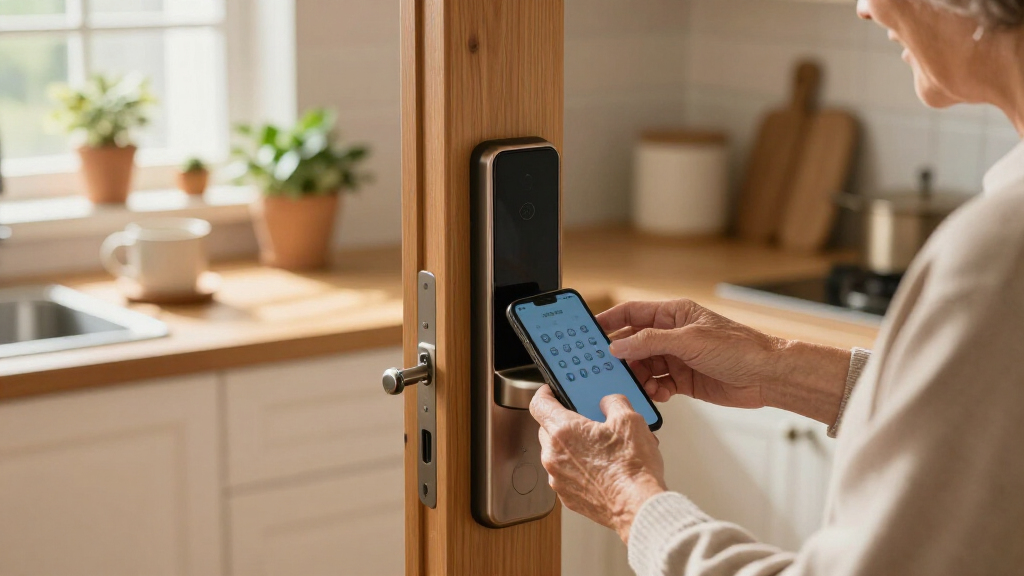
How We Picked
I evaluated each smart lock based on performance, user-friendliness, build quality, setup simplicity, battery longevity, and value for money. Products that offered straightforward installation and intuitive controls scored higher, as these are crucial for seniors who may have limited technical experience. Security features, such as biometric access or alarms, were also prioritized, along with reliability and maintenance needs. The ranking reflects a balance between affordability and advanced features, aiming to recommend options suitable for various senior users and their caregivers.Factors to Consider When Choosing Best Smart Door Locks For Seniors
When selecting a smart door lock for seniors, it’s important to consider factors that impact daily usability, safety, and maintenance. The right lock should blend security with simplicity, minimizing frustration while maximizing peace of mind. Here’s what to keep in mind beyond just features:Ease of Use and Accessibility
Prioritize locks with clear, large buttons, simple app interfaces, or biometric options like fingerprint scanners. These features reduce the chance of confusion or frustration, especially for seniors with limited dexterity or eyesight. Avoid overly complex keypad systems or locks requiring multiple steps for entry, which can become cumbersome over time.
Battery Life and Power Management
Long-lasting batteries lessen the need for frequent replacements, which can be inconvenient or overlooked. Look for models with low-battery alerts or backup power options. Short battery life can lead to lockouts or security gaps if not monitored regularly.
Security and Locking Mechanisms
Features like fingerprint recognition, keypad codes, or app-controlled locking add layers of security. However, consider the tradeoff: biometric systems are fast but may require maintenance or calibration. Mechanical overrides or backup keys provide essential failsafe options.
Installation and Compatibility
Choose locks that fit existing door setups with minimal modifications. Compatibility with standard doors and simple installation processes reduce frustration and potential damage. Avoid overly complex models that need professional installation unless you’re comfortable with wiring or door adjustments.
Price and Value
While budget options can be effective, investing in a slightly more expensive lock often yields better durability, security features, and ease of use. Consider long-term value over initial savings, especially for devices that will be used daily and need reliability.
Frequently Asked Questions
Is a fingerprint lock suitable for seniors with limited dexterity?
Fingerprint locks are generally a good choice for seniors who find keypad entry difficult, as they offer quick, one-touch access. However, the scanner’s sensitivity can sometimes be affected by moisture, dirt, or skin conditions, which may require regular cleaning or calibration. Ensuring the fingerprint sensor is of high quality can mitigate these issues, making it a reliable and accessible option for many users.
How often do battery replacements need to happen?
Battery life varies widely among smart locks, with some lasting over a year and others needing replacements every few months. Locks with longer battery life and low-battery alerts help prevent unexpected lockouts. For seniors, models with backup keys or emergency power options provide added reassurance in case of power depletion.
Can these locks be used with voice assistants?
Many smart locks support voice control through platforms like Alexa or Google Assistant, offering hands-free operation. This feature can be especially helpful for seniors who prefer verbal commands or have mobility challenges. However, compatibility varies, so it’s important to verify the lock’s integration capabilities before purchase.
Are smart locks secure against hacking or vandalism?
Reputable models employ encryption and security protocols to protect against hacking. Regular firmware updates and strong, unique passwords enhance safety. Physical security features, like sturdy construction and backup access methods, are equally important to prevent vandalism or forced entry.
What if the smart lock’s app is too complicated for my parent?
If app control seems overwhelming, choose a model with simple keypads or biometric options, which don’t require smartphone interaction. Many locks also feature physical keys or manual overrides, providing peace of mind without relying solely on digital controls. Always look for intuitive interfaces and clear instructions to reduce setup stress.
Conclusion
For the best overall balance of ease, security, and reliability, the ULTRALOQ U-Bolt Pro makes an excellent choice for most seniors and their caregivers. If affordability is a priority, the Wyze Auto-Lock Bolt v2 offers solid features at a lower price, ideal for budget-conscious users. The Eufy Security Smart Lock C220 shines as a top biometric option for quick access, perfect for users with dexterity challenges. For those seeking premium features and seamless integration, the Philips WiFi Keypad Door Lock provides advanced controls, though it comes at a higher cost. Ultimately, selecting the right lock depends on the user’s mobility, comfort with technology, and security needs—this guide aims to help you match the best product to your specific situation.
Fall Picks
fall essentials
As an affiliate, we earn on qualifying purchases.