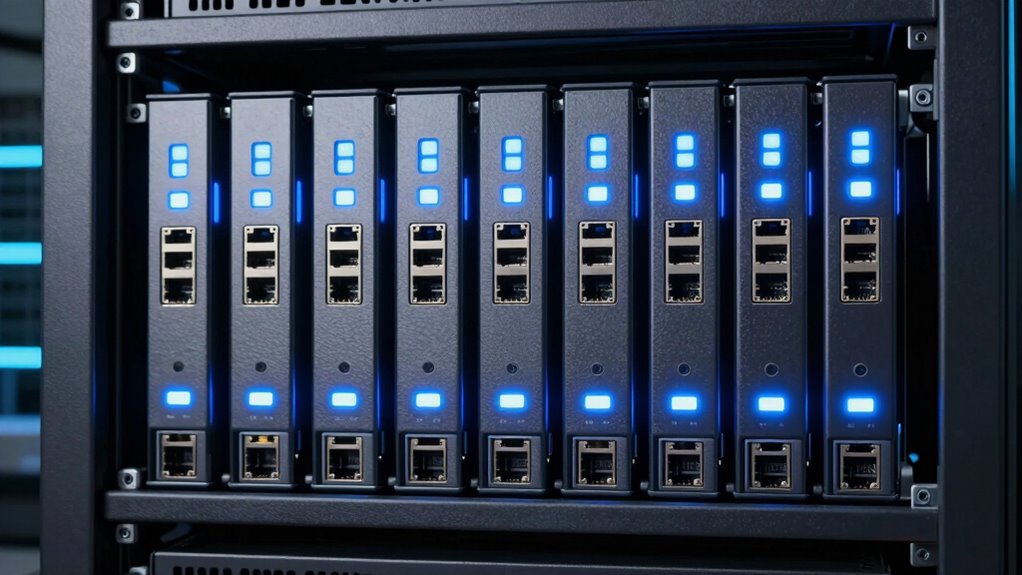

For creators handling large files and demanding workflows, a NAS with 10GbE connectivity can dramatically improve data transfer speeds and collaboration. The QNAP TS-855X-8G-US stands out as the overall top pick thanks to its balanced performance and expandability. The Ugreen DXP480T Plus offers a compelling all-flash solution for video editors seeking ultra-fast access, while the LincStation N2 provides a robust DIY-friendly option for those who want customization and versatility. These choices highlight the key tradeoffs: higher performance often comes with increased complexity or cost. Continue reading for a detailed breakdown of these options and what best fits your needs.

Get decor and gifts delivered free with Prime
- Fast, free delivery on millions of items
- Prime Video, Amazon Music and more included
- Member-only deals all year
Complete the kit


Key Takeaways
- Top picks balance speed, expandability, and ease of setup, with no one-size-fits-all solution.
- All-flash NAS options excel for editing workflows but tend to be pricier and require more maintenance.
- DIY and customizable NAS models provide flexibility but may demand technical expertise from users.
- Higher port counts and advanced features are more common in premium models, suited for large teams or studios.
- Performance differences become more noticeable with large files and multi-user environments, influencing budget decisions.
| QNAP TS-855X-8G-US 8-Bay NAS |  | Best Overall for Business-Centric Creators | Processor: Intel Atom C5125 8-core 2.8GHz | RAM: 8GB DDR4 (upgradable to 128GB) | Drive Bays: 6 x 3.5-inch SATA, 2 x 2.5-inch SATA | VIEW ON AMAZON | See Our Full Breakdown |
| LincStation N2 6-Bay NAS Server with Intel N100, 16GB RAM, 10GbE, 2 SATA Bays, 4 M.2 Slots, DIY NAS for Plex, Docker, Private Cloud, Unraid License Included |  | Best for Power Users and Tech Enthusiasts | Processor: Intel N100, 4-core, up to 3.4GHz | Memory: 16GB LPDDR5 RAM | Storage Bays: 2 SATA, 4 NVMe slots | VIEW ON AMAZON | See Our Full Breakdown |
| UGREEN NAS DXP8800 Ultra 8-Bay Network Storage for Businesses and Studios |  | Best for Large Studios and Enterprise Environments | Number of Bays: 8 | Processor: Intel 150U | Max RAM: 96GB DDR5 | VIEW ON AMAZON | See Our Full Breakdown |
| UGREEN NAS DXP4800 GT 4-Bay for Creators, Tech Enthusiasts, and Office Teams |  | Best for Creators and Small Business Security | Processor: AMD Ryzen Embedded R2514 | RAM: 8GB DDR4, expandable to 64GB | Storage Capacity: Up to 144TB | VIEW ON AMAZON | See Our Full Breakdown |
| UGREEN NAS DXP480T Plus 4-Bay All-Flash SSD for Creators & Video Editors |  | Best for Video Editors and Creators Requiring Max Speed | Processor: 12th Gen Intel Core i5 | Maximum Storage Capacity: 32TB | Number of Bays: 4 | VIEW ON AMAZON | See Our Full Breakdown |
| MINISFORUM N5 Pro 5-Bay Desktop AI NAS with AMD Ryzen AI 9 HX PRO 370, 128GB SSD, 10GbE, 8K HDMI, Diskless |  | Best for Power Users and Creative Studios | Processor: AMD Ryzen AI 9 HX PRO 370, 12-core/24-thread, up to 5.1GHz | Storage Capacity: Up to 188TB | Drive Bays: 5 SATA HDD, 3 M.2 NVMe, 2 U.2 NVMe | VIEW ON AMAZON | See Our Full Breakdown |
| Synology DS1525+ Video Editing & Production Server – 5-Bay NAS, 300TB Expansion, 10GbE Ready |  | Best for Professional Video Editing and Media Management | Model Number: DS1525+ | Number of Bays: 5 | Maximum Storage Capacity: 300TB | VIEW ON AMAZON | See Our Full Breakdown |
| QNAP TS-h973AX-32G 9-Bay QuTS Hero NAS with 10GbE/2.5GbE Connectivity |  | Best for Mission-Critical Applications and Virtualization | Processor: AMD Ryzen V1500B, 2.2 GHz | RAM: 32GB DDR4 (max. 64GB) | Drive Bays: 5x 3.5-inch SATA, 2x U.2 NVMe, 2x SATA SSD | VIEW ON AMAZON | See Our Full Breakdown |
| UGREEN NAS DXP8800 Plus 8-Bay for Business, IT Teams & Large Studios |  | Best for Large-Scale Business and Studio Environments | Digital Storage Capacity: 272 TB | Hard Disk Interface: Serial ATA | Connectivity Technology: Ethernet, HDMI, SATA, USB | VIEW ON AMAZON | See Our Full Breakdown |
| UGREEN DXP2800 GT NAS for Smart Home Enthusiasts, Creators & Freelancers |  | Best for Creators and Freelancers with Moderate Storage Needs | Processor: AMD Ryzen Embedded R2514, 4 cores, up to 3.70GHz | RAM: 8GB DDR4, expandable up to 64GB | Networking: 10GbE | VIEW ON AMAZON | See Our Full Breakdown |
| nas with 10gbe for creator | Processor |
|---|---|
| QNAP TS-855X-8G-US 8-Bay NAS | Intel Atom C5125 8-core 2.8GHz |
| LincStation N2 6-Bay NAS Serve | Intel N100, 4-core, up to 3.4GHz |
| UGREEN NAS DXP8800 Ultra 8-Bay | Intel 150U |
| UGREEN NAS DXP4800 GT 4-Bay fo | AMD Ryzen Embedded R2514 |
| UGREEN NAS DXP480T Plus 4-Bay | 12th Gen Intel Core i5 |
| MINISFORUM N5 Pro 5-Bay Deskto | AMD Ryzen AI 9 HX PRO 370, 12-core/24-thread, up to 5.1GHz |
| Synology DS1525+ Video Editing | — |
| QNAP TS-h973AX-32G 9-Bay QuTS | AMD Ryzen V1500B, 2.2 GHz |
| UGREEN NAS DXP8800 Plus 8-Bay | 12th Gen 10-core Intel Core i5 |
| UGREEN DXP2800 GT NAS for Smar | AMD Ryzen Embedded R2514, 4 cores, up to 3.70GHz |
More Details on Our Top Picks
QNAP TS-855X-8G-US 8-Bay NAS
The QNAP TS-855X-8G-US stands out for its high-capacity design and comprehensive connectivity, making it an excellent choice for creators who need robust storage and virtualization capabilities. Its 8-core Intel Atom processor and up to 128GB RAM support demanding workloads, comparable to the more specialized UGREEN DXP4800 GT but with a focus on data management rather than media editing. The inclusion of dual 2.5GbE ports alongside a single 10GbE port offers versatile network options, although setting up such a complex system might challenge those without technical expertise. Its multiple drive bays support extensive storage, but the price could be prohibitive for small-scale creators or hobbyists. This NAS is ideal for studios or small businesses prioritizing storage density and virtualization over compactness or simplicity.
Pros:- High storage capacity with 8 drive bays for large media libraries
- Fast network connectivity with 10GbE and dual 2.5GbE ports
- Supports SSD caching and extensive RAM upgrades for performance
Cons:- Complex setup requiring technical knowledge
- Potentially high cost for small-scale users
- Limited expansion options beyond PCIe slots
Best for: Small-to-medium-sized creative businesses needing extensive storage and virtualization capabilities
Not ideal for: Solo creators or hobbyists with limited budgets or minimal technical experience
- Processor:Intel Atom C5125 8-core 2.8GHz
- RAM:8GB DDR4 (upgradable to 128GB)
- Drive Bays:6 x 3.5-inch SATA, 2 x 2.5-inch SATA
- Network Ports:Single 10Gbase-T, dual 2.5GbE
- NVMe Slots:2 x M.2 PCIe Gen 3 x4
- Supported OS:QTS, QuTS hero
- Warranty:3 years
Our verdict“This NAS is ideal for creators needing serious storage and virtualization power, despite its complexity and cost.”
LincStation N2 6-Bay NAS Server with Intel N100, 16GB RAM, 10GbE, 2 SATA Bays, 4 M.2 Slots, DIY NAS for Plex, Docker, Private Cloud, Unraid License Included
The LincStation N2 offers a potent combination of flexibility, high-speed networking, and ample memory, making it well-suited for creators with advanced technical skills. Its Intel N100 processor and 16GB RAM enable demanding media workflows, comparable to the UGREEN DXP4800 GT but with a more DIY-friendly approach thanks to its support for Unraid OS. While it provides a single 10GbE port like the UGREEN DXP4800 GT, its expanded RAM and NVMe support give it an edge for virtualization and media server tasks. However, setting up and optimizing this system requires comfort with Linux-based environments, and its limited SATA bays could restrict large storage arrays, unlike the UGREEN DXP8800 Ultra. This pick suits creators who prioritize customization and high-speed data transfer in a compact form factor.
Pros:- High-speed 10GbE network connectivity
- Large 16GB RAM supports multitasking and virtualization
- Supports both SATA and NVMe drives for flexible storage options
Cons:- Requires technical knowledge to set up and maintain
- Limited to 2 SATA bays, which may restrict storage expansion
- Price point not specified, potentially expensive for hobbyists
Best for: Tech-savvy creators and small offices seeking flexible, high-performance NAS solutions
Not ideal for: Beginners or users unfamiliar with server setup and Linux-based OS configurations
- Processor:Intel N100, 4-core, up to 3.4GHz
- Memory:16GB LPDDR5 RAM
- Storage Bays:2 SATA, 4 NVMe slots
- Network:10GbE port
- Connectivity:USB-C (10G), HDMI 2.0
- Included Software:Unraid OS Starter License
Our verdict“This NAS is a powerful, customizable choice for creators who need speed and flexibility but are comfortable with technical setup.”
UGREEN NAS DXP8800 Ultra 8-Bay Network Storage for Businesses and Studios
The UGREEN DXP8800 Ultra excels in delivering high-speed data transfer and extensive storage for demanding environments. Its dual 10GbE ports and support for virtualization, AI, and surveillance set it apart from smaller, simpler NAS options like the DXP4800 GT. Its 8-bay design supports large capacities up to 272TB, ideal for large media assets, unlike the more modest storage potential of the DXP4800 GT. While it offers a range of connectivity options, the setup is complex, and the purchase of drives is separate, adding to initial costs. This NAS suits enterprise studios or large creative teams needing extensive, fast, and reliable storage with advanced features but might be overkill for small creators.
Pros:- Dual 10GbE ports for blazing-fast data transfer
- Supports large capacity up to 272TB with flexible RAID options
- Advanced AI and virtualization support for diverse workflows
Cons:- Requires separate purchase of drives
- Setup complexity may challenge non-technical users
- Higher initial investment
Best for: Large creative studios and enterprise teams managing vast media libraries
Not ideal for: Solo creators or small teams with limited budgets or simpler needs
- Number of Bays:8
- Processor:Intel 150U
- Max RAM:96GB DDR5
- Storage Capacity:Up to 272TB
- Connectivity:Dual 10GbE, Thunderbolt 4
- Supported Applications:VMs, Containers, SAN
Our verdict“This NAS offers massive storage and high-speed connectivity for large-scale operations but demands technical expertise and higher budget.”
UGREEN NAS DXP4800 GT 4-Bay for Creators, Tech Enthusiasts, and Office Teams
The UGREEN DXP4800 GT is tailored for creators and small teams seeking a balance of performance and security. Powered by an AMD Ryzen Embedded R2514 processor, it handles multitasking efficiently, similar to the DXP4800 Ultra but in a more compact 4-bay form factor. Its dual 10GbE ports improve network speeds, ideal for media editing and backups, though it lacks included drives, meaning added costs for storage. The system supports extensive RAID configurations and security features, making it suitable for media professionals focused on data protection. However, its setup process can be complex for those unfamiliar with server hardware, and the non-ECC RAM limits long-term data integrity for critical projects.
Pros:- High-performance AMD Ryzen processor for multitasking
- Dual 10GbE ports for fast network transfers
- Supports multiple RAID levels for data redundancy
Cons:- Drives sold separately, increasing initial costs
- Non-ECC RAM limits long-term data integrity
- Complex setup for users unfamiliar with server hardware
Best for: Creators and small business teams prioritizing security and fast data access
Not ideal for: Beginners or users seeking plug-and-play simplicity or large storage capacity
- Processor:AMD Ryzen Embedded R2514
- RAM:8GB DDR4, expandable to 64GB
- Storage Capacity:Up to 144TB
- Network:Dual 10GbE ports
- Connectivity:USB 3.2, HDMI, SD card
- Security:TLS/SSL, AES, RAID support
Our verdict“This NAS suits creators needing secure, high-speed access with flexible RAID options, provided they are comfortable with setup complexity.”
UGREEN NAS DXP480T Plus 4-Bay All-Flash SSD for Creators & Video Editors
The UGREEN DXP480T Plus is designed for creators and video editors demanding rapid file access and transfer speeds. Its all-flash SSD storage paired with a 12th Gen Intel Core i5 processor ensures that editing workflows are smooth and responsive, surpassing the performance of traditional HDD-based NAS units like the TS-855X. The inclusion of a 10GbE port guarantees quick network throughput, though the maximum storage of 32TB may limit larger media libraries compared to larger-capacity models. Its comprehensive security features and support for multiple RAID levels make it suitable for professional environments, though the need to purchase compatible drives separately adds to initial costs. This NAS makes the most sense for creators prioritizing speed over enormous storage capacity.
Pros:- All-flash SSD storage delivers ultra-fast file access
- Powerful Intel Core i5 processor supports demanding editing tasks
- 10GbE port enables rapid data transfer over networks
Cons:- Limited maximum capacity of 32TB
- Requires separate purchase of SSDs or HDDs
- Setup may be complex for non-technical users
Best for: Video editors and creators focused on high-speed data access and editing workflows
Not ideal for: Users needing extensive storage beyond 32TB or those on a tight budget
- Processor:12th Gen Intel Core i5
- Maximum Storage Capacity:32TB
- Number of Bays:4
- Network Port:10GbE
- Wi-Fi:Wi-Fi 6
- Supported RAID Levels:JBOD, Basic, RAID0, RAID1, RAID5, RAID6, RAID10
Our verdict“This all-flash NAS is perfect for creators who need lightning-fast access for editing, with some capacity limitations to consider.”
MINISFORUM N5 Pro 5-Bay Desktop AI NAS with AMD Ryzen AI 9 HX PRO 370, 128GB SSD, 10GbE, 8K HDMI, Diskless
The MINISFORUM N5 Pro stands out for its exceptional processing power thanks to the AMD Ryzen AI 9 HX PRO 370, making it ideal for AI-heavy workflows and demanding media tasks. Its massive storage capacity of up to 188TB and flexible RAID options support large-scale projects, surpassing many typical NAS units. Compared with the Synology DS1525+, it offers raw processing strength but requires more technical setup and maintenance, especially since the system disk occupies an M.2 slot and hot-swapping isn’t supported. The modular design allows for future upgrades, yet this complexity can be daunting for less experienced users. Its advanced connectivity, including 10GbE and 8K video output, makes it perfect for high-end content creation, though it involves a steep learning curve.
Pros:- Exceptional AMD Ryzen AI 9 processor with AI acceleration capabilities
- Massive storage support up to 188TB with flexible RAID configurations
- Advanced connectivity including 10GbE and 8K HDMI output
- Modular design for future expansion and upgrades
Cons:- System disk occupies an M.2 slot, limiting additional SSD options without manual removal
- No hot-swapping support for U.2 NVMe slots complicates maintenance
- Setup can be complex, requiring technical knowledge for hardware upgrades
Best for: Creators and professionals needing high processing power and large storage for AI, 4K/8K editing, or media production
Not ideal for: Casual users or small studios without technical expertise, as setup and upgrades are complex
- Processor:AMD Ryzen AI 9 HX PRO 370, 12-core/24-thread, up to 5.1GHz
- Storage Capacity:Up to 188TB
- Drive Bays:5 SATA HDD, 3 M.2 NVMe, 2 U.2 NVMe
- Memory:Expandable up to 96GB DDR5 ECC
- Network Ports:1x 10GbE, 1x 5GbE, link aggregation
- Video Outputs:1x HDMI 8K@60Hz, 2x USB4
Our verdict“This NAS is best suited for creators and power users who prioritize processing speed and large, flexible storage, and are comfortable with technical setup.”
Synology DS1525+ Video Editing & Production Server – 5-Bay NAS, 300TB Expansion, 10GbE Ready
The Synology DS1525+ is tailored for media professionals who need reliable, high-speed access to large video files. Its scalable storage up to 300TB and support for 10GbE make it ideal for 4K and 8K workflows, especially when compared to smaller NAS options like the QNAP TS-h973AX. While it requires some technical expertise to set up and configure, its AI-assisted media management and robust support ecosystem justify the learning curve for serious editors. Unlike the UGREEN DXP8800 Plus, which emphasizes business security, the DS1525+ excels in multi-user media workflows and seamless sharing. Its enterprise-grade warranty and support further appeal to professional environments, though the higher price may deter casual or small-scale users.
Pros:- Supports high-speed data transfer suitable for 4K/8K editing
- Expandable up to 300TB with additional units
- Advanced media management features including AI tagging
- Reliable 3-year warranty and enterprise support
Cons:- Setup and network configuration require technical skills
- Higher price point for professional-grade features
- Limited details on included accessories
Best for: Video editors and media teams managing large-scale projects needing scalable and high-speed storage
Not ideal for: Beginners or casual users who prefer plug-and-play setups or smaller capacities
- Model Number:DS1525+
- Number of Bays:5
- Maximum Storage Capacity:300TB
- Network Compatibility:10GbE, 2.5GbE
- Warranty:3 Years
Our verdict“This NAS is designed for media professionals who need scalable, fast, and reliable storage for large video projects, and are prepared for a more involved setup.”
QNAP TS-h973AX-32G 9-Bay QuTS Hero NAS with 10GbE/2.5GbE Connectivity
The QNAP TS-h973AX offers a robust platform for demanding environments, with its AMD Ryzen V1500B processor and 32GB RAM supporting virtualization, backups, and enterprise workloads. Its 9-drive bays provide ample capacity, with versatile SSD and HDD options for caching and storage. The inclusion of ZFS-based QuTS hero OS enhances data integrity, making it a good choice over the Synology DS1525+ for users prioritizing data protection. However, its setup and configuration demand a higher technical skill level, and the higher price point might be prohibitive for smaller teams or casual users. Compared to the UGREEN DXP8800 Plus, it’s more focused on data safety and mission-critical applications rather than raw storage capacity.
Pros:- High-capacity storage with flexible SSD and HDD options
- Fast networking with 10GbE and 2.5GbE ports
- ZFS-based data protection and snapshot support
- Supports SSD caching for performance boosts
Cons:- Complex initial setup and configuration
- Relatively high cost for advanced features
- Limited to specific SSD/HDD configurations
Best for: IT professionals and data managers needing high resilience, virtualization support, and large capacity
Not ideal for: Small teams or users seeking simple, plug-and-play solutions with minimal setup
- Processor:AMD Ryzen V1500B, 2.2 GHz
- RAM:32GB DDR4 (max. 64GB)
- Drive Bays:5x 3.5-inch SATA, 2x U.2 NVMe, 2x SATA SSD
- Networking:2 x 2.5GbE, 1 x 10GbE
- Operating System:QuTS hero (ZFS-based)
Our verdict“Ideal for professionals needing a high-capacity, resilient NAS with virtualization and data protection features, suited for technical users.”
UGREEN NAS DXP8800 Plus 8-Bay for Business, IT Teams & Large Studios
The UGREEN NAS DXP8800 Plus delivers massive storage capacity and high-speed data transfer, making it a strong choice for large businesses and studios. With up to 272TB capacity and dual 10GbE ports, it surpasses many smaller NAS options like the UGREEN DXP4800 GT in scale and speed. Its robust security features, including encryption and multi-factor authentication, support sensitive data management. However, it requires users to purchase drives separately and relies solely on wired Ethernet, which could limit flexibility in some setups. While its high throughput suits multimedia workflows, the setup complexity and lack of included drives mean it’s better suited for organizations with technical resources and storage needs.
Pros:- Enormous storage capacity up to 272TB
- High-speed transfer with dual 10GbE ports and speeds up to 2500MB/s
- Strong security features including encryption and multi-factor authentication
- Compatible with various third-party hard drives
Cons:- No drives included — extra purchase required
- Supports only wired Ethernet, no Wi-Fi option
- Network speed and performance depend on setup and hardware
Best for: Large businesses, multimedia studios, and IT teams managing extensive data assets
Not ideal for: Small offices or casual users seeking a ready-to-use, all-in-one solution
- Digital Storage Capacity:272 TB
- Hard Disk Interface:Serial ATA
- Connectivity Technology:Ethernet, HDMI, SATA, USB
- Processor:12th Gen 10-core Intel Core i5
- Memory:8GB DDR5
- Network Ports:2x 10GbE
Our verdict“This NAS is targeted at large enterprises and studios needing vast, fast storage with enterprise-grade security, assuming they have the technical expertise to manage it.”
UGREEN DXP2800 GT NAS for Smart Home Enthusiasts, Creators & Freelancers
The UGREEN DXP2800 GT strikes a balance for home-based creators and freelancers requiring reliable 10GbE networking and expandable storage. Its AMD Ryzen Embedded R2514 processor offers solid performance for file sharing, backups, and running applications like Docker. With support for up to 80TB and expansion options, it’s more flexible than smaller NAS devices, though it lacks included drives and relies on third-party purchases. Compared to the UGREEN NAS DXP8800 Plus, it has a smaller capacity but is easier to handle for smaller environments. Its security features and multi-application support make it suitable for complex workflows, but setup may require some technical familiarity.
Pros:- High-speed 10GbE network connectivity
- Expandable RAM and storage up to 80TB
- Supports multiple applications including Docker and virtual machines
- Built-in security features like encryption and RAID 1 support
Cons:- Drives are not included — additional purchase needed
- Pre-installed RAM is non-ECC, upgrade requires compatible modules
- Manual setup needed for some applications like Plex
Best for: Freelancers and creators needing high-speed network access and moderate storage capacity for project workflows
Not ideal for: Large teams or studios with extensive storage needs or who prefer plug-and-play solutions
- Processor:AMD Ryzen Embedded R2514, 4 cores, up to 3.70GHz
- RAM:8GB DDR4, expandable up to 64GB
- Networking:10GbE
- Storage Capacity:Up to 80TB
- Drive Bays:2 SATA, 2 U.2 NVMe, 2 M.2 SSDs
- Security:Multi-layer, RAID 1, TLS/SSL
Our verdict“This NAS suits independent creators and freelancers seeking fast networking and flexible storage in a manageable form factor.”

How We Picked
These products were selected based on their network speeds, expandability, build quality, and suitability for content creators. Priority was given to models offering 10GbE connectivity, reliable performance for large files, and features that support creative workflows like media servers and fast SSD options. We also considered user-friendly setup, maintenance requirements, and overall value for creators with varying needs. The ranking reflects a combination of raw performance, versatility, and cost-effectiveness, ensuring options for different levels of technical expertise and budgets.Factors to Consider When Choosing Nas With 10gbe For Creators
Choosing the right NAS with 10GbE for creators involves balancing several factors. Understanding your workflow, budget, and technical comfort can help narrow options. It’s vital to consider expandability, speed, and compatibility with your existing setup. This guide covers key points to evaluate, avoiding common pitfalls like overspending on features you won’t use or selecting a model too limited for future growth. Making an informed decision will ensure your investment supports your creative projects now and down the line.Performance and Speed
For creators working with large media files, speed is king. Prioritize NAS models with 10GbE ports and SSD support if real-time editing and fast transfers are critical. Be aware that raw network speed isn’t the only factor—drive configurations and RAID setups influence actual throughput. Budget models may offer 10GbE but lack the processing power to fully utilize it, leading to bottlenecks. Conversely, higher-end models with powerful CPUs can handle multiple streams and simultaneous users more efficiently, but at a higher cost.
Expandability and Scalability
Consider how much storage you’ll need now versus in the future. Models with multiple bays and PCIe slots for additional cards or SSD caching can grow with your needs. Over-investing in capacity you don’t yet require can be a mistake, but under-investing might lead to frequent upgrades. Some NAS devices support expansion units, which are worth considering if you anticipate significant data growth. Think about your long-term plans and choose a model that balances current budget with future scalability.
Ease of Use and Setup
If you’re not technically inclined, look for NAS with user-friendly interfaces, clear setup guides, and good community support. Some models, like Synology, excel here, offering simplified management and apps tailored for creators. DIY-friendly options, while flexible, can involve a steep learning curve and more maintenance. Assess whether you prefer a plug-and-play solution or are comfortable configuring advanced features like RAID, network settings, and media servers.
Build Quality and Reliability
For content creators, data integrity and uptime are essential. Invest in NAS with durable hardware, good ventilation, and reliable components. Look for brands with solid warranties and active support communities. Cheaper or unbranded models might save money upfront but pose risks of hardware failure or data loss. Think about your workflow’s criticality—downtime or data corruption can significantly impact your productivity and reputation.
Cost and Value
Balancing budget with features is a common challenge. Premium models with all the bells and whistles deliver high performance but come with a higher price tag. Conversely, entry-level models may lack speed or expandability needed for intensive media workflows. Focus on what features matter most for your projects—sometimes investing a bit more upfront saves money and frustration later. Consider ongoing costs like drives, warranty extensions, or additional accessories when evaluating total value.
Frequently Asked Questions
Is a 10GbE NAS necessary for small creators or solo workflows?
While 10GbE offers faster transfer speeds, it may not be essential for small-scale or solo creators working with modest file sizes. Many creators find that 1GbE or 2.5GbE networks suffice for their current needs. However, if you’re dealing with large 4K or 8K media files regularly or anticipate scaling up, investing in a 10GbE NAS can future-proof your setup and significantly reduce transfer times. It’s worth considering your typical file sizes and project scope before deciding.
Can I upgrade a NAS with 10GbE later, or should I buy one with it from the start?
Many modern NAS units allow adding 10GbE cards or upgrading network interfaces, but this varies by model. Buying a NAS with built-in 10GbE from the start ensures seamless performance without extra hardware or configuration. Upgrading later can be more complex and costly, especially if the device lacks PCIe slots or support for additional network cards. For creators planning long-term growth, choosing a model with native 10GbE support is generally the safer, more straightforward option.
Are all SSD NAS options suitable for video editing workflows?
Not all SSD NAS models are created equal for editing workflows. All-flash arrays like the UGREEN DXP480T Plus are tailored for high-speed access, ideal for real-time editing of large media files. However, they tend to be more expensive and require compatible hardware. Hybrid models, combining SSD caches with traditional HDD storage, can offer a balance between speed and capacity. The key is matching your workload—if you need ultra-fast access for editing, investing in all-flash is justified; for storage and backup, hybrid solutions may suffice.
What is the typical lifespan of a NAS for creative use, and how can I extend it?
The lifespan of a NAS depends on build quality, usage intensity, and maintenance, but generally ranges from 3 to 7 years. Regular firmware updates, proper cooling, and using enterprise-grade drives can extend device longevity. Implementing redundant storage configurations and regular backups further safeguard against hardware failure. Choosing a reputable brand with good support can also make repairs or replacements less disruptive, ensuring your creative projects stay protected over the long term.
Should I prioritize high port counts or advanced features for my creative setup?
High port counts and advanced features like multiple 10GbE ports or PCIe expansion are beneficial if you work in a large team or manage extensive data workflows. For solo creators or small studios, a smaller, simpler NAS with fewer ports may be more cost-effective and easier to manage. Prioritize based on your current needs but consider future growth; sometimes investing in a more capable model upfront can prevent costly upgrades later. The right choice balances your immediate workflow requirements with potential future expansion.