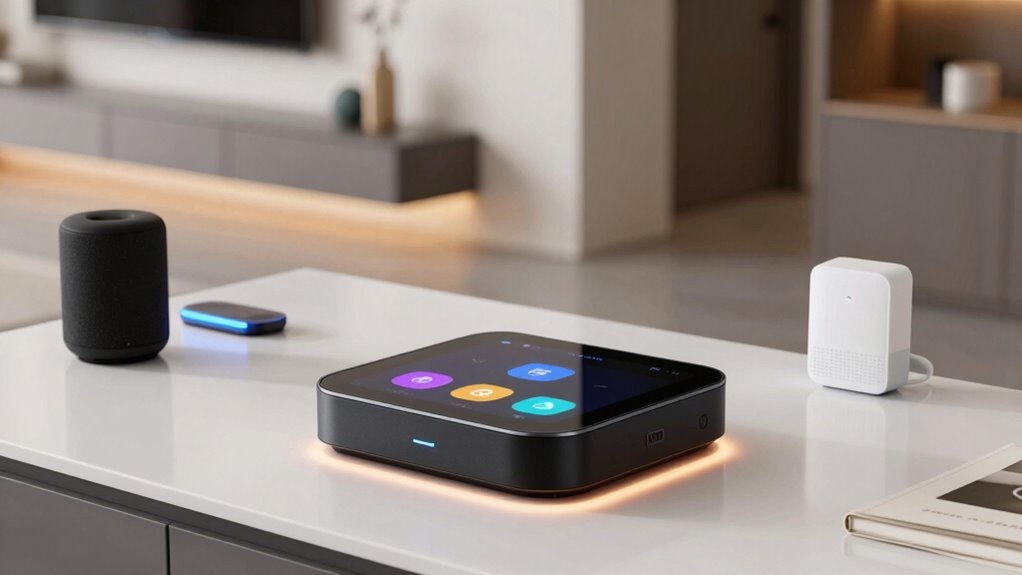

If you’re looking for a smart home hub, you’re aiming to centralize control over your devices for easier automation and management. The Amazon Echo Hub stands out as the best overall for its seamless Alexa integration and broad device compatibility. The Aqara Smart Home Hub M3 offers excellent Matter support and IR control, making it ideal for versatile setups. The main tradeoffs in this category involve balancing device compatibility, ease of use, and price. Continue reading for a detailed breakdown of each option to find the best fit for your smart home needs.

Get decor and gifts delivered free with Prime
- Fast, free delivery on millions of items
- Prime Video, Amazon Music and more included
- Member-only deals all year
Complete the kit


Key Takeaways
- The top-ranking hubs excel at bridging multiple protocols like Z-Wave, Zigbee, and Matter, ensuring broad device compatibility.
- Ease of setup and usability vary significantly; hubs with dedicated apps and clear interfaces are favored for beginners.
- Price often correlates with features; more expensive models tend to offer advanced automation and local control options.
- Compatibility with voice assistants like Alexa, Google Assistant, and Siri is a key factor influencing user experience.
- Local control capabilities can reduce latency and improve reliability, especially important for automation-heavy homes.
| Like-New Amazon Echo Hub, 8” Smart Home Control Panel with Alexa, Compatible with Thousands of Devices |  | Best Overall Smart Home Hub | Display: 8-inch touchscreen, 1280 x 800 resolution | Power Requirements: USB-C PD, supports PoE with converter | Connectivity: Dual-band WiFi, Bluetooth, Zigbee, Thread, Matter, Sidewalk | VIEW ON AMAZON | See Our Full Breakdown |
| Aqara Smart Home Hub M3 with Matter Controller and IR |  | Best Versatile Protocol Support | Protocols Supported: Zigbee, Thread, Matter | Device Capacity: 127 Zigbee, 127 Thread devices | Connectivity: Wi-Fi 2.4/5 GHz, PoE, USB-C | VIEW ON AMAZON | See Our Full Breakdown |
| Aeotec Smart Home Hub 2 – V4, SmartThings Hub, Zigbee, Matter Gateway, Compatible with Alexa and Google Assistant |  | Best for SmartThings Ecosystem Integration | Support Standards: Matter, Zigbee | Connectivity: Wi-Fi, Ethernet | Compatible Platforms: SmartThings, Alexa, Google Assistant | VIEW ON AMAZON | See Our Full Breakdown |
| Hubitat Elevation C-8 Pro Smart Home Hub, Local Control and Automations |  | Best for Advanced Customization & Privacy | Product Dimensions: 2.95 x 3.23 x 0.67 inches | Item Weight: 2.56 ounces | Processor: 2.0 GHz | VIEW ON AMAZON | See Our Full Breakdown |
| Aeotec Smart Home Hub – Works as a SmartThings Hub, Z-Wave, Zigbee, Matter Gateway, Compatible with Alexa and Google Assistant |  | Best General-Purpose Multi-Protocol Hub | Weight: 1.1 pounds | Connectivity Technology: Ethernet, Wi-Fi, Z-Wave, ZigBee, Matter | Supported Protocols: Matter, Z-Wave, Zigbee | VIEW ON AMAZON | See Our Full Breakdown |
| Home Assistant Green – Official Smart Home Hub with Advanced Automation |  | Best for Tech-Savvy Automation Enthusiasts | RAM: 4 GB | Storage Capacity: 32 GB | Processor Count: 1 | VIEW ON AMAZON | See Our Full Breakdown |
| smart home hub | Connectivity |
|---|---|
| Like-New Amazon Echo Hub | Dual-band WiFi, Bluetooth, Zigbee, Thread, Matter, Sidewalk |
| Aqara Smart Home Hub M3 with M | Wi-Fi 2.4/5 GHz, PoE, USB-C |
| Aeotec Smart Home Hub 2 | Wi-Fi, Ethernet |
| Hubitat Elevation C-8 Pro Smar | Wi-Fi, Ethernet |
| Aeotec Smart Home Hub | — |
| Home Assistant Green | Ethernet, USB |
More Details on Our Top Picks
Like-New Amazon Echo Hub, 8” Smart Home Control Panel with Alexa, Compatible with Thousands of Devices
The Amazon Echo Hub stands out for its large 8-inch touchscreen which makes daily control of your smart home intuitive and visually engaging. Compared with the smaller Aeotec or Hubitat options, this model’s display offers a more user-friendly experience for those who prefer touch interaction over voice commands alone. Its support for a broad range of protocols—including Zigbee, Thread, and Matter—means it can unify many different smart devices, but setup can be complex for those unfamiliar with smart home tech. Privacy features and recycled materials add extra appeal, though the need for separate mounting accessories and its non-portable design may limit flexibility for some users. This pick makes the most sense for homeowners wanting a central, visually accessible hub with strong privacy safeguards, willing to handle a slightly involved setup.
Pros:- Supports a wide range of protocols including Zigbee, Thread, and Matter
- Large, high-resolution 8-inch touchscreen for easy control
- Privacy-focused features like mic off button and multiple layers of security
- Made from environmentally friendly recycled materials
Cons:- Requires purchase of stand or mounting accessories separately
- Setup process can be complex for non-technical users
- Not designed for portable or handheld use
Best for: Homeowners seeking an all-in-one, wall-mounted control panel with a focus on privacy and device compatibility
Not ideal for: Renters or those wanting a portable, plug-and-play device without wall mounting options
- Display:8-inch touchscreen, 1280 x 800 resolution
- Power Requirements:USB-C PD, supports PoE with converter
- Connectivity:Dual-band WiFi, Bluetooth, Zigbee, Thread, Matter, Sidewalk
- Audio:Stereo speakers with full-range drivers
- Sensors:Passive infrared, ambient light sensor
- Materials:Made from 27% recycled materials
Our verdict“Ideal for homeowners who want a stylish, privacy-conscious central hub with a large display and broad device support.”
Aqara Smart Home Hub M3 with Matter Controller and IR
The Aqara M3 excels in its support for Zigbee, Thread, and Matter, making it a flexible choice for users who want broad device compatibility. Its built-in IR blaster adds a unique layer of control for air conditioners and other IR-compatible appliances, which is not featured in the Aeotec or Hubitat hubs. However, its placement needs to be within 6 to 19 feet of the router for optimal connectivity, and some features depend heavily on third-party app support, which can introduce variability. The inclusion of encrypted local storage enhances security, but the power adapter is sold separately, adding to initial costs. This hub makes the most sense for those who prioritize protocol versatility and IR control, and are comfortable with some setup complexity.
Pros:- Supports Zigbee, Thread, and Matter for extensive compatibility
- Features a smart IR blaster with feedback and learning capabilities
- Flexible placement options with wired and wireless connectivity
- Encrypted local storage enhances security
Cons:- Optimal placement is within 6 to 19 feet of router, limiting flexibility
- Power adapter not included, increasing upfront cost
- Some functionalities depend on third-party app support
Best for: Tech-savvy users wanting multi-protocol support and IR control for a variety of smart devices
Not ideal for: Casual users or those seeking a simple, all-in-one device with plug-and-play setup
- Protocols Supported:Zigbee, Thread, Matter
- Device Capacity:127 Zigbee, 127 Thread devices
- Connectivity:Wi-Fi 2.4/5 GHz, PoE, USB-C
- Storage:8GB encrypted local storage
- IR Blaster:360° IR with feedback and learning
- Power:Wired, PoE, USB-C
Our verdict“Best suited for users who want a multi-protocol hub with IR capabilities and are comfortable handling setup nuances.”
Aeotec Smart Home Hub 2 – V4, SmartThings Hub, Zigbee, Matter Gateway, Compatible with Alexa and Google Assistant
The Aeotec Smart Home Hub 2 – V4 is tailored for those invested in the SmartThings ecosystem, supporting Zigbee and Matter for broad device compatibility. Its local processing enables automation even without internet, a feature that can outshine cloud-dependent hubs like the Aqara M3 or Hubitat in reliability. Its Ethernet and Wi-Fi connectivity make setup straightforward, but its lack of Z-Wave support limits its compatibility with some smart devices. Additionally, it’s mainly designed for North American markets, so regional limitations may apply. This hub is best for SmartThings users seeking a reliable, local automation core with simple setup, but less so for those with Z-Wave devices or outside North America.
Pros:- Supports Zigbee and Matter standards for broad device compatibility
- Enables local automations for better reliability during internet outages
- Easy setup via Ethernet or Wi-Fi
- Compatible with Alexa and Google Assistant
Cons:- Does not support Z-Wave devices, limiting compatibility
- Region-specific—primarily for North America
- Limited to specific platforms and standards
Best for: SmartThings ecosystem enthusiasts who want a reliable, local automation hub with broad device support
Not ideal for: Users requiring Z-Wave compatibility or non-North American deployment
- Support Standards:Matter, Zigbee
- Connectivity:Wi-Fi, Ethernet
- Compatible Platforms:SmartThings, Alexa, Google Assistant
- Color:White
- Supported Devices:SmartThings, Zigbee, Matter
- Local Automation:Yes
Our verdict“A solid choice for SmartThings users prioritizing local automations and broad protocol support within North America.”
Hubitat Elevation C-8 Pro Smart Home Hub, Local Control and Automations
The Hubitat Elevation C-8 Pro appeals to power users who want extensive control and local automation processing. Its support for Z-Wave 800 Series, Zigbee 3.0, and Matter, combined with external antennas for stronger signals, makes it highly flexible across multiple ecosystems. Its local processing ensures automations run swiftly without reliance on cloud servers, a key advantage over online-dependent hubs like the Aeotec or Aqara. However, the setup can be technical, requiring some familiarity with smart home configuration, and advanced features might need user customization. Compatibility with popular voice assistants is a plus, but the learning curve can be steep for beginners. This is ideal for users who prioritize privacy, speed, and deep customization over simplicity.
Pros:- Processes automations locally for speed and privacy
- Supports multiple protocols including Z-Wave, Zigbee, and Matter
- External antennas improve signal strength and range
- Continuous free software updates
Cons:- Setup and configuration can be complex, requiring technical knowledge
- Some advanced features need user customization
- Compatibility may vary with certain devices and integrations
Best for: Tech-savvy homeowners who want local control, customization, and high protocol support
Not ideal for: Less experienced users seeking a straightforward, plug-and-play solution
- Product Dimensions:2.95 x 3.23 x 0.67 inches
- Item Weight:2.56 ounces
- Processor:2.0 GHz
- RAM:2 GB
- Connectivity:Wi-Fi, Ethernet
- Protocols Supported:Z-Wave 800 Series, Zigbee 3.0, Matter 1.5, Bluetooth
Our verdict“Best for knowledgeable users who want deep local control, high protocol support, and privacy-focused automation.”
Aeotec Smart Home Hub – Works as a SmartThings Hub, Z-Wave, Zigbee, Matter Gateway, Compatible with Alexa and Google Assistant
The Aeotec Smart Home Hub offers a straightforward way to connect Z-Wave, Zigbee, and Matter devices, making it a versatile center for many smart homes. Its easy app-based setup with Wi-Fi or Ethernet appeals to users seeking a reliable, multi-protocol gateway, similar to the Hubitat but with broader compatibility with popular voice assistants. Its local automations help ensure responsiveness, yet it’s limited mostly to North American markets, which may restrict regional users. While it covers many protocols well, users with Z-Wave specific devices might prefer the Hubitat for deeper protocol support. This model makes sense for those wanting a simple, reliable, multi-protocol hub capable of handling most common smart devices, but it’s less suited for regions outside North America or Z-Wave-centric setups.
Pros:- Supports Z-Wave, Zigbee, and Matter for wide device coverage
- Easy setup via app with Wi-Fi or Ethernet
- Compatible with Alexa and Google Assistant
- Supports local automations for improved speed
Cons:- Limited to North American regions
- Requires a compatible ecosystem for full features
- Some advanced functionalities may need additional devices
Best for: Homeowners needing a reliable, multi-protocol hub with easy setup and broad ecosystem compatibility
Not ideal for: Users needing Z-Wave support or outside North America
- Weight:1.1 pounds
- Connectivity Technology:Ethernet, Wi-Fi, Z-Wave, ZigBee, Matter
- Supported Protocols:Matter, Z-Wave, Zigbee
- Control Method:App, Voice
- Frequency:908.42 MHz
- Color:White
Our verdict“A practical choice for users who want a multi-protocol hub with simple setup and reliable local automations in North America.”
Home Assistant Green – Official Smart Home Hub with Advanced Automation
The Home Assistant Green stands out for its robust automation capabilities, especially for users who want a customizable, open-source platform. Unlike the Like-New Amazon Echo Hub, which emphasizes ease of use and voice control, this hub offers deeper integration options via Z-Wave, Zigbee, and Thread, making it ideal for complex setups. Its fanless design ensures silent operation, but the limited 32GB storage can become a bottleneck for users running extensive data or custom integrations. While it requires a wired Ethernet connection for optimal reliability—unlike the Wi-Fi flexible options of the Aeotec Smart Home Hub 2—this might be a drawback for those seeking wireless simplicity. Overall, this pick makes the most sense for those who prioritize advanced automation and are comfortable with DIY configuration, even if it means sacrificing some plug-and-play convenience.
Pros:- Official Home Assistant hardware supported by Nabu Casa ensures ongoing software updates and community support
- Fanless, silent, and energy-efficient design minimizes noise and power consumption
- Supports multiple USB connectivity options for Z-Wave, Zigbee, and Thread devices, broadening device compatibility
- Pre-installed Home Assistant OS simplifies initial setup and customization
Cons:- Limited storage capacity may restrict use with large datasets or complex automations
- Requires Ethernet connection for best performance, reducing flexibility in placement
- Can be overkill for users with basic smart home needs or minimal automation preferences
Best for: Home automation enthusiasts who want full control and customization, and are comfortable with a more technical setup.
Not ideal for: Casual users or those seeking a simple, Wi-Fi-only hub with minimal configuration, as the setup and maintenance can be more involved.
- RAM:4 GB
- Storage Capacity:32 GB
- Processor Count:1
- Dimensions:4.41″L x 4.41″W x 1.26″H
- Connectivity:Ethernet, USB
- Operating System:Home Assistant OS
- Wireless Compatibility:Bluetooth
- Total USB Ports:2
- Power Consumption:A couple of watts
Our verdict“This hub is best suited for dedicated smart home users seeking deep customization and automation, willing to handle a more technical setup.”

How We Picked
We evaluated these smart home hubs based on a combination of performance, device compatibility, ease of installation, user interface, and automation capabilities. Priority was given to hubs supporting multiple protocols like Z-Wave, Zigbee, and Matter, as this broadens the range of compatible devices. We also considered build quality, software stability, and whether the hub supports local control to reduce reliance on cloud services. The ranking reflects a balance of value, versatility, and user-friendliness, ensuring options suit a variety of smart home setups and experience levels.| smart home hub | Connectivity |
|---|---|
| Like-New Amazon Echo Hub | Dual-band WiFi, Bluetooth, Zigbee, Thread, Matter, Sidewalk |
| Aqara Smart Home Hub M3 with M | Wi-Fi 2.4/5 GHz, PoE, USB-C |
| Aeotec Smart Home Hub 2 | Wi-Fi, Ethernet |
| Hubitat Elevation C-8 Pro Smar | Wi-Fi, Ethernet |
| Aeotec Smart Home Hub | — |
| Home Assistant Green | Ethernet, USB |
Factors to Consider When Choosing Smart Home Hub
Choosing the right smart home hub involves understanding several key factors that impact performance and usability. A well-chosen hub should support your existing devices, offer reliable connectivity, and fit your automation needs. It’s also important to consider future expansion and compatibility with voice assistants. This guide highlights the main considerations to help you make an informed decision and avoid common pitfalls in selecting a smart home hub.Device Compatibility and Protocol Support
Look for a hub that supports multiple protocols like Z-Wave, Zigbee, and Matter, as this ensures it can connect with a wide array of smart devices. Many older hubs only support one protocol, limiting future expansion. Overlooking compatibility can result in frustration and additional costs if you need to replace or upgrade your devices later. Prioritize hubs that list extensive device support and protocol versatility to maximize your investment.
Ease of Use and Setup
A hub with a straightforward setup process and intuitive app interface reduces frustration and speeds up deployment. Some hubs require complex configurations, which can be daunting for newcomers. In contrast, models with guided setup and clear documentation empower users to get started quickly. Consider your comfort with technology and choose a hub that aligns with your skill level to ensure a smooth experience.
Automation and Software Features
The value of a smart home hub is greatly enhanced by its automation capabilities. Look for features like scene creation, scheduling, and integration with voice assistants. Some hubs offer advanced automation logic or local control, which can improve speed and privacy. Weigh the importance of these features against your automation ambitions and choose a hub that can grow with your smart home ecosystem.
Price and Value
High-end hubs tend to offer more extensive features, better build quality, and broader compatibility, but at a higher cost. Budget options might lack certain protocols or automation options but can be perfect for small setups. Balance your budget with your need for future-proofing and automation sophistication. Sometimes, investing more upfront saves money and hassle later.
Support and Ecosystem Integration
Check whether the hub integrates seamlessly with your preferred voice assistants and smart home ecosystems. Reliable support from the manufacturer, regular firmware updates, and an active user community can enhance your experience. Avoid hubs with limited support or poor firmware update policies, which can lead to security vulnerabilities or compatibility issues as technology evolves.
Frequently Asked Questions
Will my existing smart devices work with a new hub?
Compatibility depends on the protocols supported by your devices and the hub. Most modern hubs support popular standards like Z-Wave, Zigbee, and Matter, which cover a vast majority of smart devices. However, some older or proprietary devices may require specific hubs or may not be compatible at all. Always check the device specifications and the hub’s supported protocols before making a purchase to ensure seamless integration.
Is local control important for a smart home hub?
Local control allows your hub to operate independently of cloud servers, which can improve response times and reliability. It also enhances privacy by reducing data transmitted over the internet. If automation speed or privacy are priorities, choosing a hub with robust local control features makes sense. Many premium hubs now emphasize local processing, so consider this factor if these aspects matter to you.
Do I need a hub if I only have a few smart devices?
If your setup includes only a handful of devices that use Wi-Fi or are compatible directly with your smartphone, a dedicated hub might not be necessary. However, hubs become more valuable as your ecosystem grows, especially if you add devices that communicate via Z-Wave or Zigbee. They can simplify management, improve automation, and expand your options in future upgrades.
How important is voice assistant compatibility?
Voice assistant support like Alexa, Google Assistant, or Siri can significantly enhance usability, allowing you to control devices with voice commands. Some hubs integrate deeply with specific ecosystems, providing more reliable and richer control options. Consider which voice assistant you use regularly and ensure the hub supports it, especially if voice control is a key feature for your smart home experience.
Should I pay more for a premium hub?
Premium hubs often offer advanced automation, broader protocol support, and enhanced local control, which are beneficial for larger or more complex setups. If you plan extensive automation, multiple protocols, or require high reliability, investing in a premium hub makes sense. For smaller or simpler setups, a more affordable option might meet your needs without unnecessary extras.