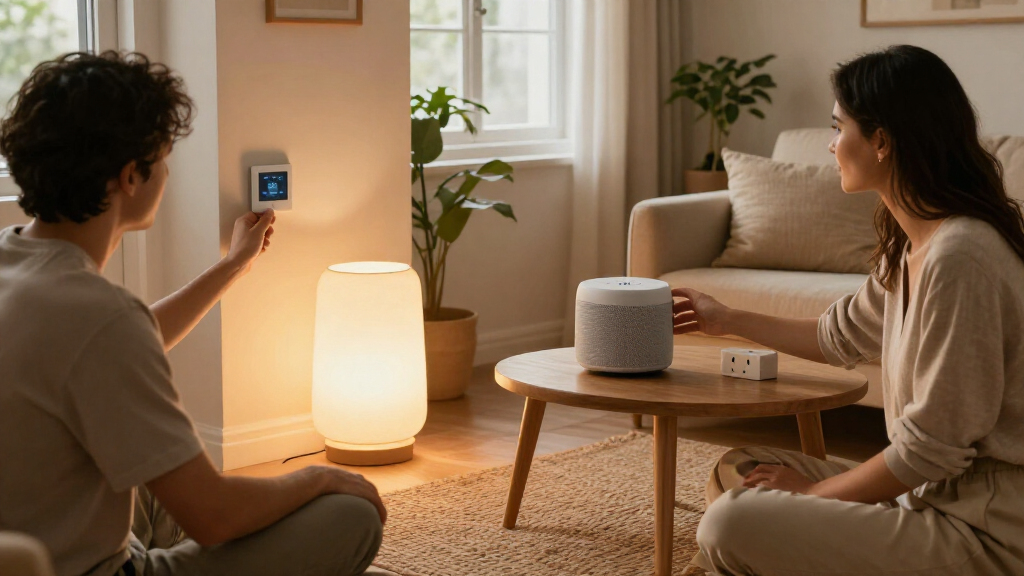

Smart home bundles promise a simpler way to add connected lighting, plugs, sensors, cameras or a hub, but the right choice depends on how much of the home you want to automate now. A starter bundle keeps the initial purchase focused and gives you room to learn which features you actually use. An expanded bundle puts more devices in the box, which can reduce the cost and effort of building a larger setup later, provided its devices work with your platform and home layout.

Give the gift of listening to the book lover on your list
- Choose a 1-, 3-, 6- or 12-month membership
- They pick the audiobooks they love
- Easy to send by email

Amazon Smart Home Starter Kit with Echo Hub, Smart Plug, and 4 Smart Bulbs
- ✔ Included devices: Echo Hub, Amazon Smart Plug, four Amazon Basics Smart Bulbs
- ✔ Display: 8-inch touchscreen, 1280 × 800 resolution
- ✔ Connectivity: Dual-band Wi-Fi, Bluetooth, Zigbee, Thread, Matter

Google Nest Audio Smart Speakers (3-Pack)
- ✔ Quantity: Three speakers
- ✔ Connectivity: Wi-Fi, Bluetooth 5.0
- ✔ Audio drivers: 75 mm woofer, 19 mm tweeter

Ring Alarm 14-Piece Kit
- ✔ Included devices: Base station, two keypads, eight contact sensors, two motion detectors, range extender
- ✔ Connectivity: Ethernet, Wi-Fi, Z-Wave, Bluetooth for setup
- ✔ Cellular backup: Available with subscription
The real decision is whether you value a low-commitment start or broader coverage from day one. The starter bundle is usually the better fit for renters, first-time buyers and anyone targeting one room. The expanded bundle makes more sense for households that already know they want coordinated control across several rooms and will use the additional devices. Paying more is worthwhile only when those extra components solve specific needs.
At a Glance
| Criteria | Starter smart home bundle | Expanded smart home bundle | Winner |
|---|---|---|---|
| Initial cost | Lower upfront spend; exact price varies by brand and device mix | Higher upfront spend, often lower cost per included device | A |
| Device coverage | Usually focuses on one room or a few core functions | Can cover several rooms or combine multiple device types | B |
| Setup effort | Fewer devices to connect and troubleshoot | More installation, pairing and account setup at once | A |
| Compatibility flexibility | Often easier to try a platform with limited commitment | More dependence on the bundle’s hub, platform and device standards | Depends |
| Automation potential | Supports straightforward routines for the included devices | Can coordinate more devices and household routines | B |
| Room to expand | Can add components gradually, sometimes at a higher per-device cost | More coverage immediately, but later additions still depend on compatibility | B |
| Value for likely use | Strong when you want a small, useful setup | Strong when most included devices will be used | Depends |
Amazon Smart Home Starter Kit with Echo Hub, Smart Plug, and 4 Smart Bulbs
For a buyer who wants to start building a connected home rather than solve just one room’s problem, this is the most complete bundle in the group. The Echo Hub touchscreen gives us a central place to view and control compatible devices, while the smart plug and four bulbs provide immediate endpoints to manage. That balance is why it ranks ahead of the Google speaker pack: Google delivers more listening hardware, but no included lighting or plug. It also offers a broader general-purpose starting point than Ring, whose sensors are focused on security rather than everyday device control.Its connectivity is a particular advantage for households mixing newer and established devices. Support for Wi-Fi, Bluetooth, Zigbee, Thread, and Matter can reduce the need to choose every future device around one connection type. The 8-inch display may also be more practical than voice alone for shared spaces where several people need to operate lights or review compatible controls. Wall-mounting hardware is included, which suits a fixed home-control spot, though the separately sold stand means tabletop placement needs another purchase.There are limits to that versatility. The hub requires an internet connection for setup, and this is not a portable screen to carry from room to room. Buyers seeking a ready-made audio system should look at Google’s three speakers instead, and anyone whose first priority is a broad set of entry sensors should compare Ring’s kit. We see the Amazon bundle as the best general-purpose foundation here, especially when hands-on controls and mixed smart home standards matter more than room-filling audio or dedicated alarm coverage.
Pros:
- Combines an Echo Hub, a smart plug, and four bulbs for a useful mix of controller and connected devices.
- Supports Wi-Fi, Bluetooth, Zigbee, Thread, and Matter devices.
- The 8-inch touchscreen offers a visible control option alongside voice interaction.
- Includes wall-mounting hardware for a fixed home-control location.
Cons:
- Internet access is required for setup.
- The hub is not designed for portable use, and a tabletop stand is sold separately.
Best for: Households beginning a general smart home setup that want a central touchscreen, several starter lighting points, a smart plug, and support for multiple device standards.
Not ideal for: People who need a portable controller, want a multi-room speaker system out of the box, or prefer a security-first bundle with numerous door and motion sensors.
Bottom line: We recommend this as the most adaptable starting bundle for buyers who want a touchscreen controller and several everyday smart home devices in one kit.
“We recommend this as the most adaptable starting bundle for buyers who want a touchscreen controller and several everyday smart home devices in one kit.”
Google Nest Audio Smart Speakers (3-Pack)
This bundle makes the clearest case for itself when music, podcasts, and voice access need to reach several parts of the home. With three Nest Audio speakers, we can distribute playback across rooms or pair speakers for stereo sound. That built-in scale is something the Amazon starter kit does not offer: its hub has stereo speakers, but the package is organized around device control and lighting rather than listening throughout a home. Compared with Ring, the Google set is also more suited to daily entertainment than monitoring doors and windows.Each speaker combines a 75 mm woofer and 19 mm tweeter, and Wi-Fi and Bluetooth support give buyers options for streaming and pairing. Google Assistant adds hands-free control for compatible smart home devices, so these speakers can play a role beyond audio. The compact freestanding form makes them easy to place on shelves or tables, but they need power at every location. Their corded design and lack of water resistance mean they are poor fits for outdoor areas and locations exposed to splashes.The tradeoff is scope: this is a speaker bundle first, not a complete smart home starter kit. There is no included touchscreen hub, plug, bulb, or security sensor, so buyers who want physical smart home devices immediately should favor Amazon or Ring depending on their priority. Google is the better fit when the household already uses Google Assistant or wants synchronized playback in multiple rooms. We would skip it if the main goal is broad device setup or alarm coverage, since the three-speaker count does not substitute for either.
Pros:
- Three speakers support multi-room playback or stereo pairing.
- Built-in Google Assistant enables voice control of music and compatible smart home devices.
- Wi-Fi and Bluetooth 5.0 provide flexible streaming connections.
- Compact freestanding speakers use sustainable plastic and wood materials.
Cons:
- The speakers require a constant power connection.
- They are not water-resistant, limiting placement near sinks and outdoors.
- The bundle does not include bulbs, plugs, or dedicated security devices.
Best for: Listeners who want Google Assistant access and a three-room audio foundation, or who want to pair speakers for stereo playback in a larger listening space.
Not ideal for: Buyers seeking a bundled touchscreen hub, starter lighting, security sensors, outdoor or wet-area speakers, or a setup that can operate without power outlets nearby.
Bottom line: We’d choose this bundle when distributed audio and Google Assistant matter more than getting smart home hardware such as bulbs or sensors in the box.
“We’d choose this bundle when distributed audio and Google Assistant matter more than getting smart home hardware such as bulbs or sensors in the box.”
Ring Alarm 14-Piece Kit
Where the Amazon bundle spreads across general smart home control, Ring concentrates its pieces on detecting access and making the alarm easy to operate. The kit includes eight contact sensors and two motion detectors, plus a base station, two keypads, and a range extender. That makes it the lineup’s strongest choice for a home with multiple doors and windows to monitor. Google’s three speakers can provide voice assistance, but they do not approach this kind of dedicated sensor coverage; Amazon includes a hub and lighting, but not an alarm-focused set of openings sensors.Two keypads give household members a direct way to arm or disarm the system, while mobile notifications and the Ring app provide a phone-based view of Ring devices. The base station supports Ethernet, Wi-Fi, and Z-Wave, with a rechargeable battery backup listed for 24 hours. Those pieces make the kit particularly relevant to a two- to four-bedroom home where sensor placement across several entry points is more important than entertainment or lighting. It can also fit homes already using Ring devices and Alexa.That specialization comes with dependencies. Professional monitoring and cellular backup require a subscription, and some remote arming features also depend on Ring Protect. Buyers should distinguish the included equipment from the services that extend it. Additional sensors and accessories are sold separately, so a home with more openings may need further components. Compared with Amazon, Ring is a narrower but more comprehensive answer to a security problem; compared with Google, it gives up multi-room audio in favor of monitoring hardware. Choose it when entry coverage is the priority, and skip it if you mainly want a broad everyday smart home controller.
Pros:
- Includes eight contact sensors and two motion detectors for broad entry coverage.
- Two keypads provide direct arming and disarming options for household members.
- The Ring app supports device monitoring and mobile notifications.
- Connectivity includes Ethernet, Wi-Fi, and Z-Wave, with battery backup in the base station.
Cons:
- Professional monitoring and cellular backup require a subscription.
- Some remote arming features require Ring Protect.
- Additional sensors and accessories are sold separately.
Best for: Owners or renters of two- to four-bedroom homes who want a dedicated alarm kit with multiple door and window sensors, motion detection, and keypad controls.
Not ideal for: People seeking an all-purpose smart home hub, included lighting or speakers, or subscription-independent professional monitoring and cellular backup.
Bottom line: We recommend Ring for buyers who want the most dedicated security coverage in this comparison and are comfortable evaluating subscription needs separately.
“We recommend Ring for buyers who want the most dedicated security coverage in this comparison and are comfortable evaluating subscription needs separately.”
As an Amazon Associate we earn from qualifying purchases.
Key Differences
The main difference is scale. A starter bundle gives you enough equipment to test a practical routine, such as switching lamps on by voice, scheduling a plug or sensing whether a door is open. That smaller scope limits setup work and makes it easier to spot compatibility problems before they affect multiple rooms. Its tradeoff is that adding devices individually can cost more over time, and a small kit may leave gaps if you already have a clear whole-home plan.
An expanded bundle can make coordinated routines more useful: lights, sensors and plugs in multiple rooms can respond together, and buying them as a set may lower the per-device cost. Yet the headline device count matters less than whether each item has a job. A camera you do not want, bulbs that do not fit your fixtures, or sensors placed where they cannot detect activity turn apparent savings into unused hardware. Check the hub requirement, wireless standards, voice assistant support and any subscription fees before comparing bundles.
For most newcomers, the starter bundle is the safer value because it limits upfront cost and lets actual use guide the next purchase. The expanded kit is the better buy when you have mapped the rooms, confirmed compatibility and expect to use most of its components. The decision should follow the intended setup, not the largest box or the lowest advertised cost per device.
Detailed Comparison
Initial cost (Starter smart home bundle wins — moderate)
The starter bundle wins on immediate affordability: fewer devices generally mean a smaller bill and less risk if your preferred app or platform proves inconvenient. The gap is moderate for someone testing smart home basics, since unused components are wasted regardless of discount. Expanded bundles may cost less per device, but their total purchase price is higher; that unit-price advantage matters only when you need the devices.
Device coverage (Expanded smart home bundle wins — major)
The expanded bundle wins, often by a major practical margin, when the goal is to cover multiple rooms or combine functions such as lighting, motion sensing and smart plugs. It can create a coherent baseline in one purchase. A starter set is enough for one room or a single task, but households seeking broad coverage will likely need further purchases.
Setup effort (Starter smart home bundle wins — moderate)
The starter bundle is easier to install and maintain because it involves fewer pairings, device names, permissions and possible connection issues. The difference is moderate: expanded sets can still be straightforward, but there are more steps and more places for a weak signal or confusing setting to arise. Choose A if you want to learn the system gradually; choose B if you are comfortable configuring several devices in one session.
Compatibility flexibility (major difference)
Neither bundle wins universally. A smaller kit makes it cheaper to test a platform, while an expanded kit may offer a more complete ecosystem if all components share a hub and app. The decisive check is support for your preferred voice assistant, phone platform, network and any existing devices. Compatibility is a major issue if a bundle locks essential features behind a hub or subscription, so confirm this before purchase.
Automation potential (Expanded smart home bundle wins — moderate)
The expanded bundle has the advantage because more devices can take part in routines across rooms. For example, a motion sensor and lights in different areas can coordinate without buying parts immediately. The gap is moderate for households that want such routines, but minor for someone who only wants a lamp to turn on at sunset. More devices do not automatically make automation useful; reliable sensors and clear controls matter more than count.
Room to expand (Expanded smart home bundle wins — moderate)
The expanded bundle wins for immediate coverage and may provide a better per-device starting point, while the starter bundle wins on freedom to make later choices based on experience. This is a moderate tradeoff. Adding compatible devices to A can spread spending over time, though individual purchases may cost more. B reduces the need for early add-ons, but its hub and platform can shape what you can add later.
Value for likely use (major difference)
Value depends on whether the included devices match a real plan. A is the stronger value for a targeted setup because you pay for fewer pieces and are less likely to leave hardware unused. B can be the better value if you need most of its devices and the bundle price is lower than buying those components separately. Compare the full cost, including hubs, accessories and subscriptions, rather than relying on the per-device figure.
Starter smart home bundle: Pros and Cons
Pros:
- Lower initial cost and smaller commitment
- Less setup work and easier troubleshooting
- Good way to test an app, hub or voice assistant
- Lets you add devices based on proven needs
Cons:
- Covers fewer rooms and functions
- May cost more per device when expanded later
- Limited number of devices for coordinated routines
- Can require a second purchase sooner than expected
Expanded smart home bundle: Pros and Cons
Pros:
- More devices and broader coverage from the outset
- Can support useful routines across several rooms
- Often lower cost per included device
- Reduces the need to shop for early additions
Cons:
- Higher upfront spend
- More setup and troubleshooting at once
- Some included devices may go unused
- Greater dependence on the bundle’s hub and platform
Who Should Choose What
Choose Starter smart home bundle if:
- You are new to smart home devices and want to test a platform first.
- You only need to automate one room or a specific task.
- You rent, expect to move, or want to keep the initial cost low.
- You prefer to choose each later device after seeing what you actually use.
Choose Expanded smart home bundle if:
- You have a clear plan for several rooms and will use most included devices.
- You want coordinated routines across lighting, sensors or plugs now.
- The bundle’s hub and app support your existing devices and preferred assistant.
- Its total price is lower than buying the same needed components separately.
Skip both if: Skip both if the bundle relies on a platform, hub or subscription you do not want, or if its included device types do not match your home. Build a compatible kit from individual devices instead.
Value for Money
Pay more for the expanded bundle only when its additional devices will be installed and used. A lower per-device price is not a saving if several components remain in a drawer, and a hub or subscription can change the real cost. For one room, a few lamps or a basic sensor routine, the starter bundle is usually the better value. For a planned multi-room setup, compare the expanded bundle’s full cost with the price of buying the same compatible devices individually. If the bundle saves money and avoids unwanted components, the premium is justified; if not, start small.
Final Verdict
Choose the starter smart home bundle if you are testing connected devices, have one clear use case or want to keep spending controlled. It is the better default for most first-time buyers because it limits setup and makes it easier to learn what is worth adding. Choose the expanded bundle if you already intend to cover several rooms, have verified compatibility and expect to use most of its contents. The biggest deciding factor is planned use: buy for the routines and rooms you will actually support, not for the device count. Pay more only when the extra coverage has a clear job.
Frequently Asked Questions
Is an expanded smart home bundle cheaper than buying devices separately?
It can be cheaper per device, but compare the bundle price with the cost of the components you actually need. Include any required hub, accessories and ongoing subscriptions, and discount devices you would not use.
Should a beginner start with a smart home starter bundle?
Usually, yes. A small bundle limits setup and gives you a practical way to learn its app, hub and routines. Start with a broader kit if you already know which rooms and functions you want to cover.
Can devices from different smart home bundles work together?
Sometimes. Check that they support the same hub or platform, your preferred assistant and compatible connection standards. A shared brand name alone does not guarantee that every feature will work together.
When should I pay more for a multi-device bundle?
Pay more when you need its added devices soon, can install them in suitable locations and have confirmed they fit your existing setup. If several components have no specific purpose, a starter bundle is the safer value.