
TL;DR
Building your own AI workstation offers control and upgrade flexibility but can cost more and take time. Buying a prebuilt saves effort, provides tested thermals, and may be more cost-effective amid current shortages. The best choice hinges on your specific needs and priorities.
Imagine this: you’re ready to dive into AI training, but the choice between building your own machine or buying a ready-made system feels overwhelming. The old rule—build cheaper, buy faster—no longer holds. The AI boom has flipped the script, making prebuilt workstations more competitive on price and incredibly convenient.
In this article, you’ll learn how the current market, hardware complexity, and your workload shape whether you should pull the parts yourself or let a vendor handle it. The decision now involves more than just dollars—it’s about time, control, and future-proofing. Ready to cut through the noise? Let’s get into the real story behind build versus buy in 2026.
Build vs buy
an AI workstation.
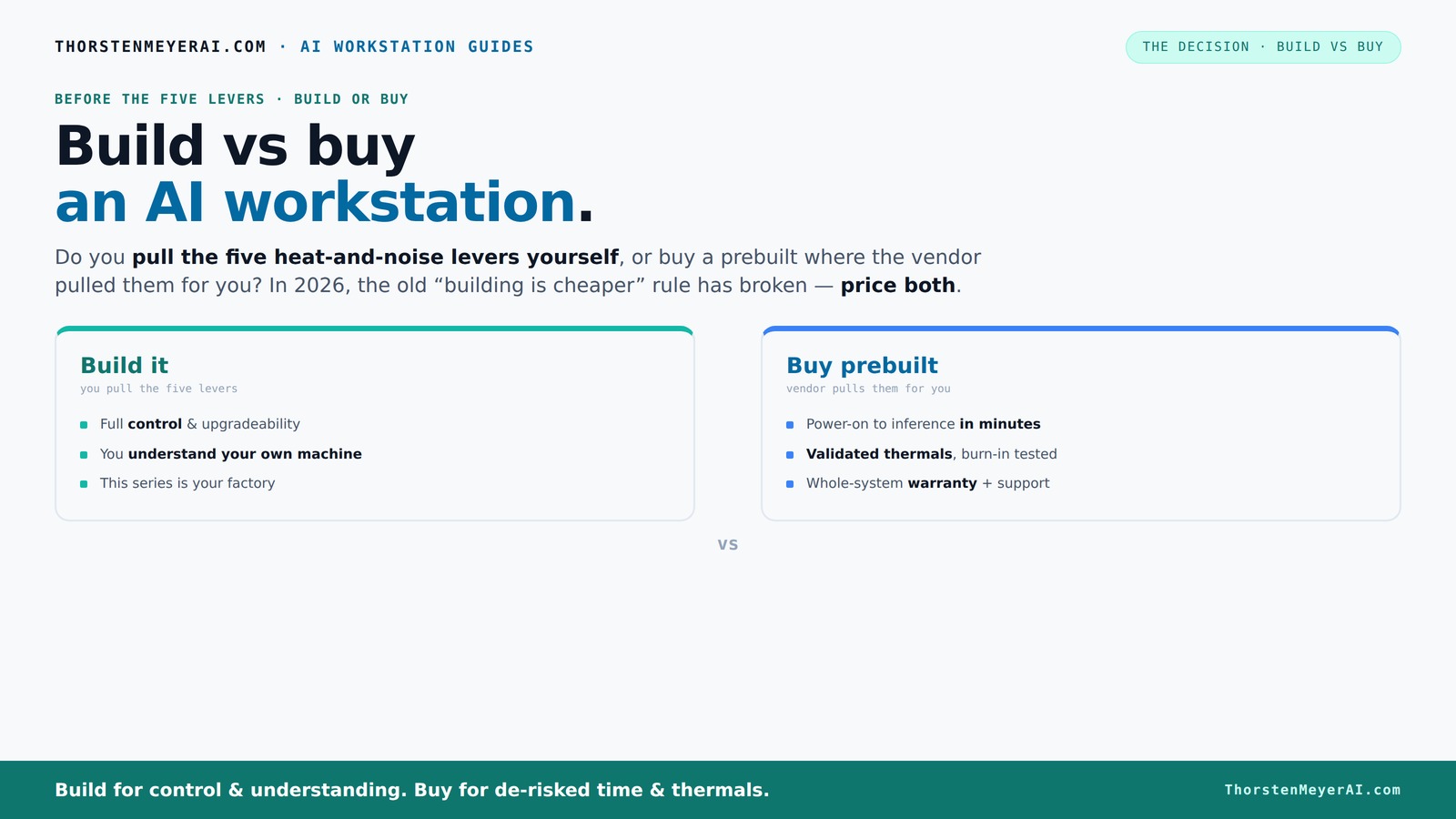
The real question behind this whole series: do you pull the five heat-and-noise levers yourself, or buy a prebuilt where the vendor pulled them for you? And in 2026, the old “building is cheaper” rule has broken. Match your situation in Part 3.
Key Takeaways
- In 2026, component shortages and price spikes have made prebuilt AI workstations often as cost-effective as custom builds.
- Building your own system offers unmatched control over thermals, noise, and future upgrades, but requires time and expertise.
- Prebuilts save hours of setup, come with validated thermals, and offer support, making them ideal for quick deployment or enterprise use.
- Cost is no longer the clear advantage for DIY; always compare prices for your specific configuration today.
- Your workload dictates the best choice—training large models calls for a custom build, while inference or creative AI benefits from prebuilt convenience.

WIWB Gaming PC Desktop Core I9-14900HX, RTX 5060 Ti 8G, 1TB NVME SSD
- Powerful Processor: Intel Core i9-14900HX with 24 Cores
- High-Performance Graphics: GeForce RTX 5060 Ti 8GB GDDR7
- Fast Memory & Storage: 16GB DDR5 RAM and 1TB NVMe SSD
As an affiliate, we earn on qualifying purchases.
As an affiliate, we earn on qualifying purchases.
Why Building Your Own AI Workstation Is Still a Powerful Choice
Building your own AI rig means total control over every component—GPU, CPU, RAM, cooling. You pick what fits your workload, tune it for silence or maximum performance, and upgrade when needed. For example, choosing a quiet GPU and undervolting it can slash noise and heat, letting you run longer sessions without throttling.
Plus, building teaches you the ins and outs of hardware, giving you the skills to troubleshoot and upgrade later. It’s like designing your own race car—every part tailored to your track. But, it’s not just about cool control; recent prices make DIY more appealing than ever, especially when you value customization over convenience.
However, the deep understanding gained through building can be a double-edged sword. It offers the ability to diagnose problems precisely and optimize performance beyond factory settings. Yet, it also means investing significant time and effort into learning and troubleshooting. This tradeoff is crucial—if you’re pressed for time or lack technical expertise, the benefits of DIY might be outweighed by the potential frustrations and delays.
Why Buying a Prebuilt AI Workstation Might Be Smarter Than Ever
A prebuilt system gets you a plug-and-play experience. It’s assembled, tested, and ready to run—minimizing setup time. Vendors like Lambda or BIZON optimize thermals and acoustics before shipping, ensuring your machine won’t throttle during long AI training runs.
Especially if you’re dealing with multi-GPU configs or need rapid deployment, prebuilts save hours of troubleshooting and component compatibility headaches. They also tend to include comprehensive warranties and support, which can be a game-changer for critical or enterprise workloads. This support reduces downtime risk, as you have experts to turn to during hardware failures or setup issues. The implication is clear: prebuilt systems can significantly lower the barrier to entry for complex AI tasks, especially for those who need immediate results or lack the time to assemble and troubleshoot.
Moreover, the reliability and consistency of prebuilt systems mean fewer surprises—no unexpected incompatibilities or misconfigurations. This stability can translate into more predictable training times and less frustration, allowing you to focus on your AI projects rather than hardware issues. For professionals and organizations, this peace of mind can justify a slightly higher initial investment, knowing that support and tested configurations mitigate operational risks.
Cost Comparison: Build vs Buy in 2026 — The Surprising Reality
In 2026, the old wisdom—building cheaper—no longer applies universally. Due to the AI component crunch, prices for GPUs, DDR5 RAM, and SSDs have surged. A DIY build that used to cost around $1,000 now often reaches $1,250 or more, even before software licenses. This increase isn't just a minor bump—it reflects the real market pressures and shortages that have distorted traditional pricing models. The tradeoff here is that DIY might no longer be the most economical choice unless you already have some components or access to bulk discounts.
Meanwhile, prebuilt systems, which bought parts in bulk before the shortages, sometimes match or beat DIY prices. This is because manufacturers can leverage economies of scale and negotiate better deals with suppliers, passing some of those savings onto consumers. The implication is that the price gap has narrowed or even reversed in some cases, making prebuilts more attractive financially. For many users, especially those who value convenience and reliability, the cost difference is less decisive than it used to be, shifting the decision towards other factors like support, time, and future upgradeability.
Comparison Table: Build vs Buy AI Workstation
| Feature | Build Your Own | Buy Prebuilt |
|---|---|---|
| Cost | Variable, often higher due to part shortages | Often comparable or lower, thanks to bulk buying |
| Setup Time | Hours to days, including sourcing and troubleshooting | Minutes—plug in and go |
| Control & Customization | Complete control over parts, cooling, and upgrades | Limited, depends on vendor options |
| Warranty & Support | Component warranties, DIY troubleshooting | |
| Upgrade Flexibility | Easy to upgrade individual parts | Proprietary parts may limit upgrades |
| Performance Tuning | Full control, DIY tuning | Factory-optimized, tested for thermals |
Thermal Management & Noise: Who Does It Better?
Thermals and noise are the hidden battleground. In a DIY build, you control cooling—choosing fans, coolers, case layout, and undervolting. For example, a quiet CPU cooler paired with optimized airflow can keep your system whisper-quiet under load.
Prebuilts, however, come with factory-validated thermals and noise levels. Companies like Lambda run 24–48 hours of burn-in testing to ensure no throttling or loud fan whines. This makes them ideal for long, sustained AI tasks where stability and silence matter.
The deeper implication is that prebuilt systems often strike an optimal balance between cooling efficiency and noise reduction, as they are designed and tested as complete units. DIY builds, while offering customization, require careful selection and tuning of components to match these standards. The choice depends on your priorities: if silence and thermal stability are critical for your long training sessions, prebuilts may have the edge due to their validated designs.
Frequently Asked Questions
Is a prebuilt AI workstation worth it in 2026?
Yes. With component shortages driving prices up, prebuilts often match or beat DIY costs. They also reduce setup time and offer tested thermals, making them a smart choice if you want quick, reliable deployment.Is it cheaper to build or buy for AI workloads?
It depends. Recent market shifts mean DIY isn’t always cheaper anymore. Always compare prices for your exact specs before deciding—sometimes, bulk buying and pre-assembly save you money.Which gives better GPU performance for the money?
Prebuilts with recent bulk purchases often include high-end GPUs at competitive prices, especially during shortages. But if you select your parts carefully, building can still yield better performance per dollar.Do I need an NPU, or is a strong GPU enough?
A high-performance GPU with plenty of VRAM remains the main AI acceleration tool for most workloads. NPUs are emerging, but in 2026, GPUs still dominate the AI card scene.Will a prebuilt limit my upgrade options later?
Proprietary parts and non-standard configurations in prebuilts can complicate future upgrades. Building your own offers more flexibility for swapping in newer GPUs, RAM, or power supplies as needed.Conclusion
Choosing between building and buying your AI workstation boils down to your priorities. Want control, customization, and future-proofing? Building might be your answer. Craving speed, support, and reliability? A prebuilt could save your day.
In a world where hardware costs and complexity soar, remember: the best machine is the one that gets you working—fast, smooth, and ready for the next breakthrough.