TL;DR

Get decor and gifts delivered free with Prime
- Fast, free delivery on millions of items
- Prime Video, Amazon Music and more included
- Member-only deals all year
Home Depot’s Hubspace app lets users control compatible smart-home products from different brands, including lighting, thermostats, outlets and lawn sprinklers. The app was featured at House Beautiful’s Whole Home in Charleston, where Home Depot demonstrated connected devices and an interactive lighting installation. The report does not specify device compatibility limits, pricing or whether new products were announced.
Home Depot featured its Hubspace smart-home app at House Beautiful’s Whole Home event in Charleston, demonstrating how people can control compatible devices from different brands through one interface. The showcase put the retailer’s connected-home system in a designed residence and highlighted functions including lighting controls, thermostats, outlets and lawn sprinklers; the report does not describe a newly launched product or a change to the app’s availability.
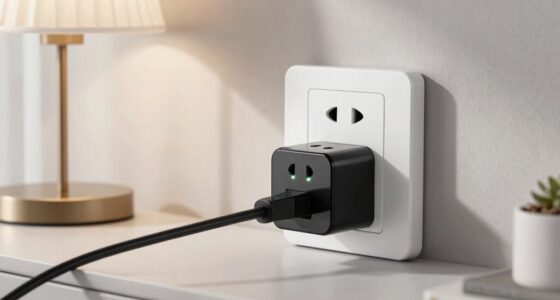
House Beautiful reports that Hubspace can bring controls for compatible products sold at Home Depot into a single app. Examples named in the report include indoor outlets, thermostats, lawn sprinklers, ceiling fans, security-related devices and seasonal decorations such as Christmas trees. The app also has a Vacation Mode, which the publication says can simulate occupancy while residents are away.
The system was presented as part of Home Depot’s contribution to this year’s Whole Home, a luxury condominium in downtown Charleston, South Carolina. While designers worked on the home’s interiors, Home Depot focused on connecting devices. The report says operation requires a smartphone, internet access and compatible devices, but does not provide a full list of supported products or technical requirements.
For the event, Home Depot created “The Color Canopy,” an interactive lighting display inspired by the Charleston sky. House Beautiful says the installation used Hubspace’s ability to dim and illuminate lights and appeared in a curated pop-up that also demonstrated connected lights, fans, doors and locks. The presentation showed possible uses of the app; it is not evidence that every device in those categories works with Hubspace.
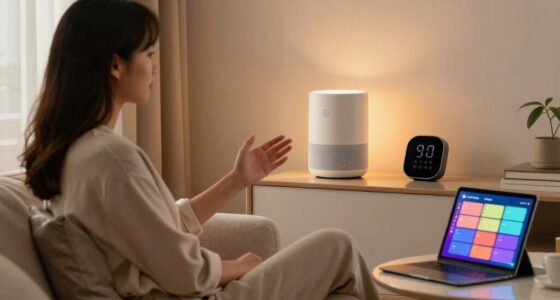
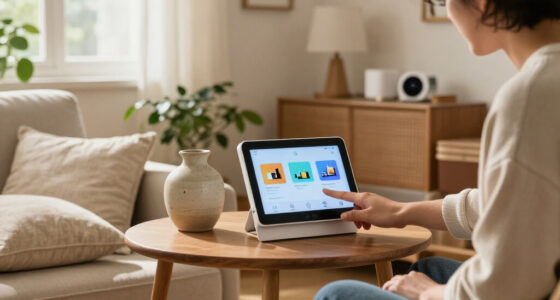
One App, Multiple Home Devices
Hubspace addresses a common practical issue for smart-home users: controls can be spread across separate apps and product brands. A single interface for supported devices could make routine tasks, such as changing lights or adjusting a thermostat, easier to manage. How useful that is depends on compatibility: the source describes products available through Home Depot but does not establish that the app supports every brand or model on its shelves.
The Charleston demonstration also presented connected-home technology as part of interior design, rather than only as a set of technical features. The Color Canopy linked adjustable lighting to the look and atmosphere of a room. For homeowners, the relevant distinction is between an event installation and a practical home setup: the display illustrates what controlled lighting can do, while the source gives no cost estimate for recreating it or details about installation needs.
Home Depot Hubspace compatible smart light bulbs
As an affiliate, we earn on qualifying purchases.
As an affiliate, we earn on qualifying purchases.
A Connected-Home Showcase
Smart-home products that can be controlled by phone are already familiar, as House Beautiful notes. The development covered in its report is Hubspace’s role as a shared control app for a range of compatible devices, rather than the arrival of app-based home controls themselves. The publication describes Home Depot as a major home-improvement retailer and frames the system around products customers can find there.
The Whole Home project supplied a setting for the demonstration: designers furnished and styled a luxury Charleston condo, while Home Depot showcased connected products and the app. The report focuses on the event and examples of use. It does not give a launch date for Hubspace, explain how its product catalog has changed, or provide independent testing of its performance.
““With Hubspace, if you buy the product at Home Depot, you can control it in the hub, simple as that.””
— House Beautiful
Compatibility and Costs Remain Unspecified
The report does not identify all Hubspace-compatible products, supported brands, or specific device models. It also does not explain whether particular features require additional equipment, a subscription or professional installation. Those details matter to anyone deciding whether Hubspace can replace separate apps in an existing home.
No prices, performance measurements or customer data are included, and the article does not compare Hubspace with other smart-home platforms. The Charleston installation was a curated event display, so its effects should not be taken as a guarantee of what every household can reproduce. The source also does not state that the Whole Home appearance involved a new app release or a product announcement.
Check Device Support Before Buying
Readers considering Hubspace can use Home Depot’s current product information to check whether a specific device is listed as compatible and what setup it requires. The source does not announce a future release, a new rollout date or another event milestone. No further product changes are confirmed in the report, so questions about broader compatibility, costs and upcoming features remain open unless Home Depot provides additional details.
Key Questions
What is Home Depot’s Hubspace?
Hubspace is a smart-home app that House Beautiful says can control compatible products across different brands, including selected lights, thermostats and outlets.
Which devices can Hubspace control?
The report names lawn sprinklers, indoor outlets, thermostats, ceiling fans, lights, doors and locks, along with seasonal decorations. Compatibility depends on the specific product; the article does not provide a complete model list.
What does Vacation Mode do?
House Beautiful says Vacation Mode simulates occupancy while a user is away. The report does not describe the settings or which devices must be connected for the feature to work.
Was Hubspace newly launched at the Whole Home event?
The report says Home Depot featured and demonstrated Hubspace at the Charleston event. It does not say the app launched there or that a new version was announced.
What should homeowners check before using Hubspace?
They should verify that each intended product is specifically compatible with Hubspace and check its internet, setup and any other requirements. The source does not provide pricing or a complete compatibility guide.
Source: rss
Halloween Picks
halloween
As an affiliate, we earn on qualifying purchases.